































Touchscreen Applications
Any Ideas?
Saturday, October 11, 2014 by RedneckDude | Discussion: Software Utilities
Hey guys. I recently started using a touch screen monitor on my Windows 8.1 rig.
I was wondering if anyone had any insight on good touch enabled software to share.
For example, I would like a virtual keyboard that automatically pops up when needed, like what happens on a tablet.
I would be appreciative for any useful input......tia.


Reply #3 Sunday, October 12, 2014 1:02 PM
I guess I'm just old or old fashioned but I can't see using a touch screen monitor on a desktop set up, my arms are not that long to reach the screen to use it from a sitting position. 
I just watched the video demo for the monitor and it does have nice features but it would have been much better to have shown it being used in what might be called a normal desktop set up.

Reply #4 Sunday, October 12, 2014 1:25 PM
Why?? my screen is small and my mice has 1300 dpi (not a gamer mice, but also not too bad) . Don`t need more. I doubt that pc applications are ready for touchscreens. Even my android mobile isn`t it really.
For example, I would like a virtual keyboard that automatically pops up when needed, like what happens on a tablet.
google for it . microsoft has a screen keyboard too. b.t.w
I do rember that dos had programs to enable mice support on keyboard applications.
There are sure applications for touch support lying hiden int the net , but i personally wouldn`t trust it.
To have an application told where is a input entry for showing a keyboard then looks like a virus/spyder worm for me ( these programs have often funny requirements as network connections). Was at least the case the case for nearly all better commercial android keyboards. So check the Terms of use. litlle warning, but i feel like i have to write it.
regards bluedxca93
Reply #5 Sunday, October 12, 2014 1:44 PM
To have an application told where is a input entry for showing a keyboard then looks like a virus/spyder worm for me
Almost all of the "Metro" apps are touch capable. Very normal these days.
microsoft has a screen keyboard too
Thanks for the obvious but the MS onscreen keyboard doesn't pop up automatically when you need it. You have to hit the shortcut on the taskbar every time you need it. Then hide it when you don't. I'd like one that auto shows when needed, hides when not needed, just like on a tablet or phone.
I did google it, as I am deeply into google. I found one that does what I want, but not free, or even cheap. But it may have to do.
I am hoping that there is someone else out there actually using a touchscreen device, like a Surface, etc. that might have some insight.
Reply #6 Sunday, October 12, 2014 2:51 PM
Almost all of the "Metro" apps are touch capable. Very normal these days.
They are written for it. Thats a difference. But older applications and i suppose most of common not metro applications don`t do it.
found something that seems to have a trial: http://hot-virtual-keyboard.com/
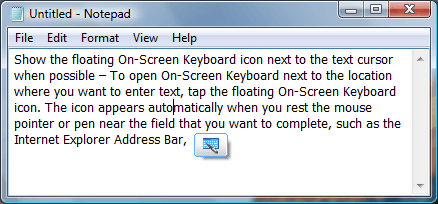
Do you think about somethign like that ? http://hot-virtual-keyboard.com/images/careticon.png
It seems that you may add an icon on taskbar to pop aut a virtual keyboard and hide it.
Or add a screen gesture that tells the pc too add screen keybaord or not.
More is not possible. At least not for free or for few money it seemsfor desktop applications.
google a bit longer, my advice.
reagdrs bluedxca93
Reply #7 Sunday, October 12, 2014 11:01 PM
That is the one I found. Testing it now. Thanks!

Reply #8 Sunday, October 12, 2014 11:11 PM
Keyboard software [by design and necessity] are key-loggers. The potential for worm and exposure of your ID/passwords/etc is brainlessly simple.
Dunno if I'd ever trust one...

Reply #9 Sunday, October 12, 2014 11:30 PM
having an onscreen keyboard pop up when you got a real keyboard plugged in, would be terrible ui design.
but if you want that, there might be an option in the accessibility settings.
Reply #10 Sunday, October 12, 2014 11:36 PM
the Gmail Offline Chrome app is touch optimised:
https://chrome.google.com/webstore/detail/gmail-offline/ejidjjhkpiempkbhmpbfngldlkglhimk?hl=de
you could also use a Chrome command line option to use a mobile Safari user agent string. that would give you touch optimised versions of some websites.
Reply #11 Monday, October 13, 2014 12:20 AM
What would be the point of a touchscreen PC if you have a hard keyboard hooked up?
So, Paul, can one conclude that you'd never trust a tablet, which have keyboard software? Or even MS keyboard software?
Is the world in such a mess that any software that has the potential to be misused/malware ridden can't be trusted? One has to trust something.
Otherwise, may as well log off, unplug the damn machine, and trust nothing.
All software COULD be misused/malware laden/untrustworthy. Where does it end?
Reply #12 Monday, October 13, 2014 12:26 AM
I guess people do use Bluetooth keyboards on tablets.
I was just trying to get the "touch" experience, which is what Windows 8 and 10 are geared for.
I guess a hard keyboard wouldn't totally negate the experience.
Reply #13 Monday, October 13, 2014 12:32 AM
So, Paul, can one conclude that you'd never trust a tablet, which have keyboard software? Or even MS keyboard software?
If it's MS default software [part of the OS] you could at least wrongly assume it's safe....
With 3rd party software sourced from God-knows-what upload site you're exposing more potential of 'risk'.
Biggest issue I have with the touch-screen experience...no matter what the hardware.....is that the only thing that 'should' touch your VISUAL interface to an OS is your 'eyeballs' [as it were], and NOT your slimy disease-ridden fingers....they should remain in the cess-pit-infested keyboard....where they belong...
Reply #14 Monday, October 13, 2014 12:35 AM
Once they get the knack of the hologram free-floating screen and you can wave your altzheimer's/arthritic fingers magically infront...without sliming anything....then the 'touch' interface will come into its own...
Clippy will pop up little messages like "I see you are waving at a fly....would you like me to get the Mortein?"
Reply #15 Monday, October 13, 2014 12:43 AM
If it's MS default software [part of the OS] you could at least wrongly assume it's safe....
You, sir, are a hoot!

Reply #16 Monday, October 13, 2014 12:48 AM
having an onscreen keyboard pop up when you got a real keyboard plugged in, would be terrible ui design.
but if you want that, there might be an option in the accessibility settings.
What I would like, is for this thing to act like a tablet.
I'd just use my tablet, but it doesn't have a 24 inch widescreen. nor does it have 12 GB of DDR3 ram, or a 256 GB SSD with a 6 core processor. 
Reply #17 Monday, October 13, 2014 12:50 AM
By the way, speaking of tablets with a 24 inch screen.....
Bluestacks is cool. It'll turn your 24 inch screened PC into an Android tablet. Awesome, if you have a touch screen monitor. (Although, it works fine with a mouse and KB.)
Reply #18 Monday, October 13, 2014 1:02 AM
way better than Bluestacks:
Chrome
ARChon plugin for Chrome
ARChon Packager for Android
Please login to comment and/or vote for this skin.
Welcome Guest! Please take the time to register with us.
There are many great features available to you once you register, including:
- Richer content, access to many features that are disabled for guests like commenting on the forums and downloading skins.
- Access to a great community, with a massive database of many, many areas of interest.
- Access to contests & subscription offers like exclusive emails.
- It's simple, and FREE!
Reply #1 Saturday, October 11, 2014 5:05 PM
BTW I would recommend this monitor. It is quite awesome.