






































XWidget 1.2.3 Release
Mac OSX Dashboard Widgets for Windows
Tuesday, November 15, 2011 by XWidgetSoft | Discussion: OS Customization
[Information]
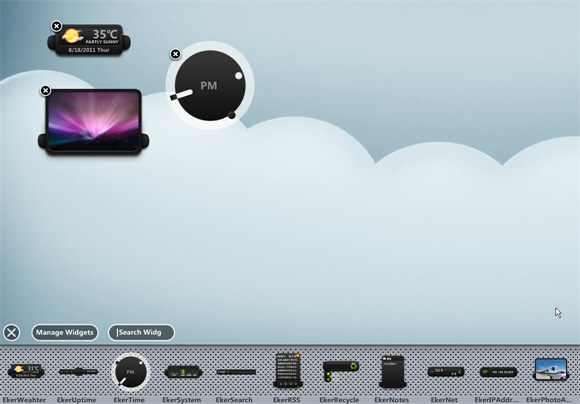
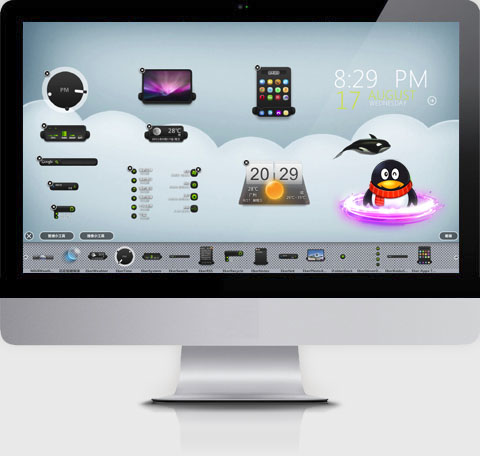
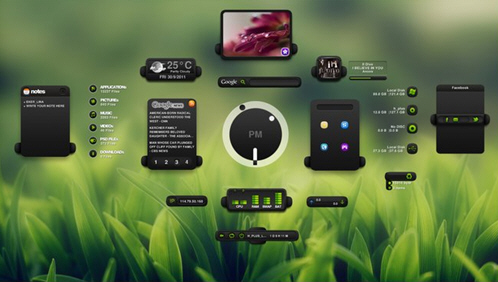
XWidget is a free desktop customization platform. It’s light, handy with powerful visual widget editor and very subtle animations.
xwidget support powerful javascript and vbscript.
Version: 1.2.3
Requirements: Windows XP or vista/Windows7/8
Updated: 2011-11-15
Homepage: http://www.xwidget.com
You can download from HERE (6.8 MB).
Widgets Gallery: http://www.xwidget.com/xwidget/

[Update log]
v1.2.3 2011-11-16
Fixed Accuweather Core
Add "Celsius" option in Accuweather change location window
Add Aero Blur Effect for every control. (vista/win7/8)
Add Bang : !Shutdown !Restart !CreateNew and so on
Add MediaKeyBoard bang
Add function: Speak("hello"); widget.cmd(""); Widget.close; setWallPaper( filename );
Add "About" for widget popupmenu
Add "AutoSave" property for Edit control
Fixed Chinese keyboard problom
All feedback is appreciated!
[Video demo]
http://v.youku.com/v...90319o1p21.html
http://v.youku.com/v...690319o1p2.html
http://v.youku.com/v...90319o1p19.html
http://v.youku.com/v...90319o1p22.html
http://v.youku.com/v...90319o1p24.html
http://v.youku.com/v...90319o1p33.html
http://v.youku.com/v...90319o1p34.html
http://v.youku.com/v...90319o1p26.html
[ScreenSnap]

Reply #3 Thursday, November 17, 2011 12:13 AM
Using it now and I am very pleased. The use of resources is VERY small, using 1,6 MB on my system with 3 widgets applied. User interface seems very polished also. Sure, there are adverts all over the place when You go into the gallery, but I think that is bearable having in mind this is freeware.
To the author : Are there any examples how to add system meters for displaying the use of CPU, RAM and HDs ?

Reply #4 Thursday, November 17, 2011 11:27 AM
To the author : Are there any examples how to add system meters for displaying the use of CPU, RAM and HDs ?
Thanks 
You can open XWDesigner by click XWidget tray icon menuitem "create new widget", and add text control and CPUcore/RAMCore , text control banding core select cpucore and select tags etc "%Percent"
Reply #5 Saturday, November 26, 2011 11:33 AM
Okay, after some practice, it is really easy. And : No crashes, 1.5 - 2 MB footprint only.


Reply #6 Saturday, November 26, 2011 1:12 PM
In what gallery here on WC should you upload a skin for this ?? 

Reply #8 Saturday, November 26, 2011 2:38 PM
First Tryout skinning it... -"Volume" for "Lethal" -WOW, all I can say is wow ! 

Please login to comment and/or vote for this skin.
Welcome Guest! Please take the time to register with us.
There are many great features available to you once you register, including:
- Richer content, access to many features that are disabled for guests like commenting on the forums and downloading skins.
- Access to a great community, with a massive database of many, many areas of interest.
- Access to contests & subscription offers like exclusive emails.
- It's simple, and FREE!
Reply #1 Tuesday, November 15, 2011 10:14 PM
Getting it now!