





































November Desktop Screenshots
Monday, October 31, 2011 by Jafo | Discussion: WinCustomize Talk
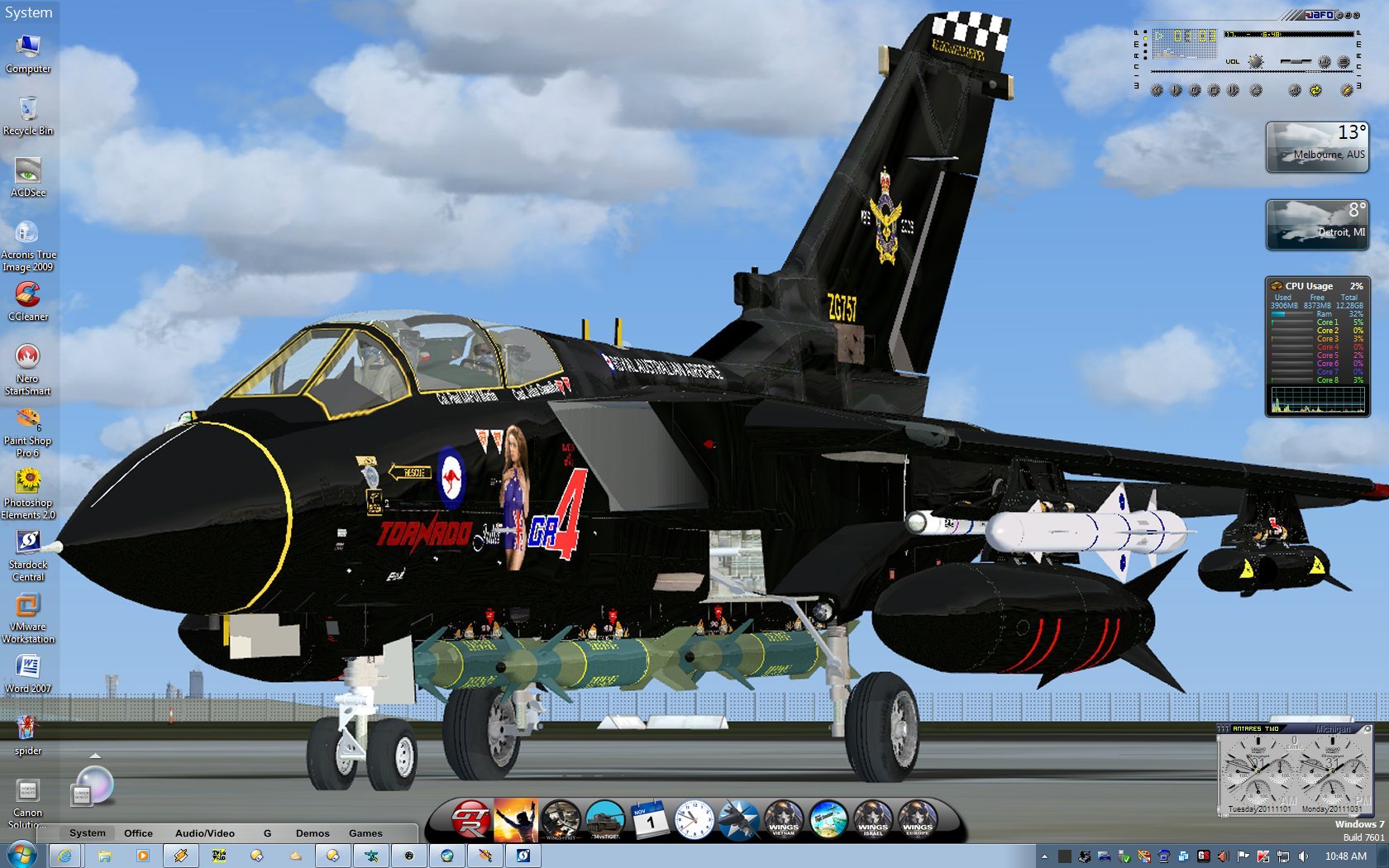
Nothing complicated desktop-wise....but the screencapped Tornado skin wall - there was a heck of a lot of work skinning that.....all the way down to 3 point font actually with the correct wording on the signage. The jaggies around the screens...in yellow are due to the mapping of the model skin....where one pixel is unfortunately 'stretched'....almost impossible to compensate.
 |
|
Page 4 of 8 | |
|
|---|

Reply #62 Sunday, November 6, 2011 11:59 PM
Doc, not sure what your doing there but.... its looks like this... standard.
Not sure what you have going on over there.... or how it looked before .. whatever you.. did..
But even now, its not the right color, and not positioned correctly vertically.


Reply #63 Monday, November 7, 2011 12:19 AM
John, just send me the .bmp (or .jpg) and I'll substitute it. 

Reply #65 Monday, November 7, 2011 1:20 AM
It wont help Seth, it will be the same as the frame in the WB folder. Somethign tells me, with whatever u have been doing to remedy the 'sickness' you have regarding user pics... something has gotten borked.
I will make u a modded version... give me a day or two, got SO much on my plate right now.. should be illegal.



Reply #68 Monday, November 7, 2011 1:48 AM
It wont help Seth, it will be the same as the frame in the WB folder. Somethign tells me, with whatever u have been doing to remedy the 'sickness' you have regarding user pics... something has gotten borked.
I will make u a modded version... give me a day or two, got SO much on my plate right now.. should be illegal.
Thanks, John... appreciate this muchly.
Reply #69 Monday, November 7, 2011 1:58 AM
Muchly velcommen 
Or, in Tagalog... Walang anuman!
Reply #70 Monday, November 7, 2011 4:08 AM
thankyou Johnneh, you should post a comment on the wb just for me. 


Reply #72 Monday, November 7, 2011 8:03 AM
How does one get rid of the ugly chrome/silvery frame around the user pic and make it match the skin?
John... the ugly user pic I was referring to isn't the one in your skin.... It's the one I was getting - the Aero one, don't know why. Borked install, probably.
Deleted and reinstalled... and got the right one.
 <- My current one. Yours ->
Allowing for capture size differences, my "A" distance (user pic to rt. panel) is larger than yours (still). Don't know what might be causing that... however, your user pic wasn't the one I was referring to as ugly... my Aero one was. That's why I tried changing it.
I could easily live w/o that pic altogether, if the Vista Start Menu could be used with W7 functionality.

Reply #73 Monday, November 7, 2011 8:11 AM
I usually do a subby without the user pic for 2 reasons:
1. not everyone likes 'em.
2. The user pic will not be centered in it's "area" for right vert taskbar users.....it will pull to the right. It also has the tendency to cover the start button as well which means that you open your user account settings every time you click the start button. 

Reply #74 Monday, November 7, 2011 8:20 AM
WOW....people are actually using this thread for its intended purpose .... discussing current skins' issues and resolving them....
Ignore my input, of course...I went off on a tangent skinning planes....


Reply #76 Monday, November 7, 2011 10:27 AM
I don't think it's a skin issue per se, Jafo. It could be a driver issue... which can't really be fixed as my lappy (hp dv6700) was a Vista machine, and I installed 7 Pro.
At the time, 7 didn't think there was a problem... but nVidia/hp isn't putting out a 7 driver for it.
However, the problem doesn't happen in "Frontier", "Trident" nor in "Penthouse" and if it were simply a driver issue I would expect them to display incorrectly as well.
Maybe John can use that info to conclude what the problem might be in my display of "Nocturne", and that would be great.
@ 2of3:
That's one (small) reason (of many larger ones) why I like your skins so much, although I certainly do understand why John does his as he does... and I love his, too.
Sorry about not quoting, but the mechanism turned my reply to Jafo's comment into part of the quote.

Reply #78 Monday, November 7, 2011 11:05 AM
Color me stoopid...I didn't know THAT was the purpose for this thread.... 


Reply #80 Monday, November 7, 2011 5:35 PM
Vampy is sleeping, but I think it looks Great so far...
I guess not. Oh well.
Please login to comment and/or vote for this skin.
Welcome Guest! Please take the time to register with us.
There are many great features available to you once you register, including:
- Richer content, access to many features that are disabled for guests like commenting on the forums and downloading skins.
- Access to a great community, with a massive database of many, many areas of interest.
- Access to contests & subscription offers like exclusive emails.
- It's simple, and FREE!
|
|
Page 4 of 8 | |
|
|---|
Reply #61 Sunday, November 6, 2011 11:53 PM
I can assure you, your more than likely in the minority on this one my friend.
I'll get u a modded version... don't expect it everytime tho
The user pic frame was designed by me, I didnt want it to match exactly, I wanted it somewhat lighter.. I dont know if I would call it chrome, maybe your seering somethign else.? (check my screenshot in the release thread)
Got a nice little utility to do the job, here: http://www.door2windows.com/windows-7-user-picture-frame-changer-change-your-user-picture-frame-with-one-click/
Now it looks like this: