





































July 2011 Desktop Screenshots
Jafo is celebrating Canada Day
Friday, July 1, 2011 by DrJBHL | Discussion: WinCustomize Talk
Well, let's get this month's Desktop Screenshot thread rolling!
I know the great snipers are out there hovering... don't forget the links to everything!
Vox is it... wb by vStyler, Nexus Dock Vox by WebGizmos (icons by Skinhit* - I stand corrected, not vStyler - sorry, Jack. No slight intended), CFX VOX by BoXXi and wall from dA "Kokopelli Turtle" http://gerguter.deviantart.com/art/Kokopelli-Turtle-Wallpaper-Pak-130948501

 |
|
Page 2 of 11 | |
|
|---|

Reply #22 Saturday, July 2, 2011 10:47 AM
What you do, Uvah is take a few screenies then with Ps, you cut and paste. That way you can put in all you want. Also, you can customize the icons for the subdocks: right click on the sub-dock icon choose dock entry properties and then change icon and browse for whichever one you want.

Reply #23 Saturday, July 2, 2011 11:45 AM
Uvah, you can always press PrtScn - that will capture your desktop into the Windows clipboard. Then you can paste the image into a graphics program such as MS Paint and save as a JPG file. In multi-monitor systems, these even captures all screens at once.
And what Doc said about customizing icons in Winstep is right, but there's a much faster way: just drop a TIF, PNG or ICO image file of your choice *into* the sub-dock icon. This drag & drop method works for any items in the dock or Shelf (except modules), by the way, not just sub-dock items, and it's the fastest way I know of doing this, especially if you are customizing more than one dock item at once. Drag. Drop. Presto, new icon for that item. 

Reply #24 Saturday, July 2, 2011 12:16 PM
thanks for fixing the link...
 that's pretty neat Mike.....sounds like a lotta fun..... can just see them boppin' along to that..


Reply #26 Saturday, July 2, 2011 12:25 PM
not quite the 4th yet... but thinking of you guys... hope you have a great one... 


Reply #27 Saturday, July 2, 2011 12:42 PM
Have Anomaly on the desktop with a few of the SDN A Skinners World skins, works well together.

I will be on the look out for more Anomaly skins.

Reply #28 Saturday, July 2, 2011 12:44 PM
@ Doc reply 22 and
@JCRabbit reply 23.....
Docks docks and more docks. I'll have so many docks I'll need a cove to put 'em in. lol



Reply #31 Saturday, July 2, 2011 2:40 PM
The wood skins here https://www.wincustomize.com/explore/all/search/hardwood
Wallpaper http://my.deviantart.com/messages/#/d3ki18t
Winamp skin is called studeosus which I edited the colors to match this theme.
Rainmeter skin is called vark which I also edited

Reply #32 Saturday, July 2, 2011 2:49 PM
I love wooden themes, and that one is very slick, JC. 


Reply #34 Saturday, July 2, 2011 4:46 PM
Thank you JcRabbit

Reply #35 Sunday, July 3, 2011 12:20 AM
Hey Syd ! Thought I would make a post on vMusic ... Interesting stuff going on there !!
Regards !



Reply #39 Monday, July 4, 2011 11:15 AM

Wallpaper: Little Earth by Whalecore
Icons: Faenza (ported by me to IconPackager, not released)
CursorFX: BlackOps by Mike Bryant
Rainmeter: Elementary 1.3 and FaenzaWidgets by flyinghyrax
Windowblind: ULTIMO Night Smoke by Tom Richter


Please login to comment and/or vote for this skin.
Welcome Guest! Please take the time to register with us.
There are many great features available to you once you register, including:
- Richer content, access to many features that are disabled for guests like commenting on the forums and downloading skins.
- Access to a great community, with a massive database of many, many areas of interest.
- Access to contests & subscription offers like exclusive emails.
- It's simple, and FREE!
|
|
Page 2 of 11 | |
|
|---|
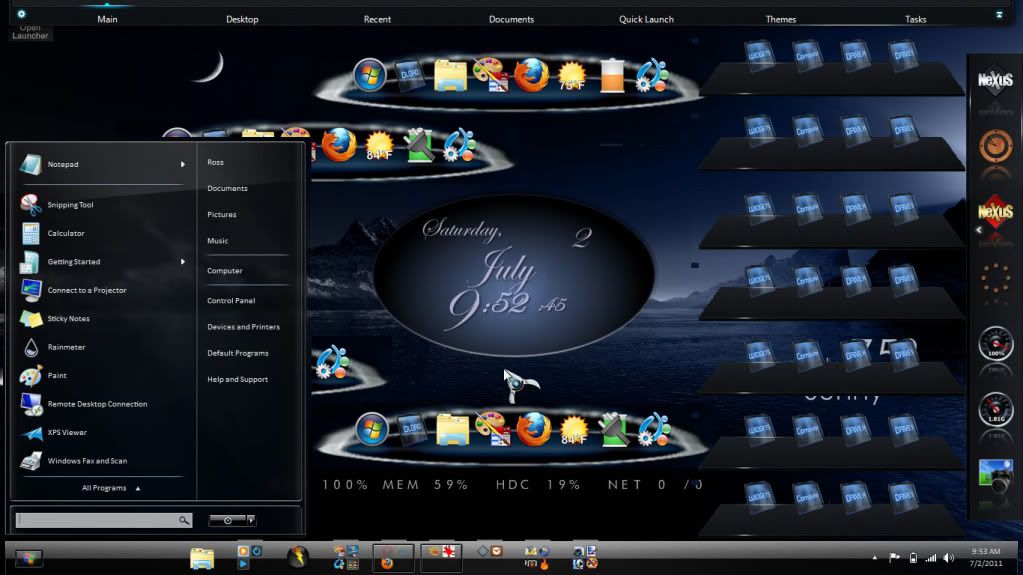
Reply #21 Saturday, July 2, 2011 9:58 AM
I finally discover sub docks in Nexus and wanted to include them in this screen shot but it disappears with any click I make. Oh well. Here's my new screen for the moment.