



































WMP Skinning Tutorial - PART I
Sunday, April 4, 2004 by Styl-X Design | Discussion: Stardock Software
Skinning a Music player.
Written by: Ron Meijer
Programs needed:
Graphic program.
Text program. (Personaly I use Editplus, available here: http://www.editplus.com/download.html )
In this text I will explain you the basics of skinning Windows media player (wmp).
We will begin with Windows media player.
In your wmp folder (witch should be: C:\Program Files\Windows Media Player\) you find the map skins.
When you open this map you should see Some files with the wmp icon on it. These are your skin files.
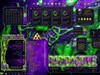
For example we will take the skin 'Headspace'.
Click right mouse button on this skin> open with > choose program.
Now you should get a little popup window where you can pick a program. Press the button browse and go to your winzip map.
(this one is probably locatet here: C:\Program Files\WinZip)
Click on your WINZIP32.exe icon and open it.
Now you should get your winzip screen with all kind of files in it. (most should be .bmp.)
Go to extract, and extract it in this folder: C:\Program Files\Windows Media Player\Skins\headspace.
Now if everything went ok, you should have your map headspace, and it should be filled with all kind of files.
Ok, now we have the map, we are going to leave this alone for a while.
It now is the best time to make your skin. (this can be done in Adobe Photoshop, or paintshop pro.)
While you are making your skin, make sure the BACKGROUND of the skin is in this collour: #00FF00
This is what we will call 'magic pink'. It makes things transparent in .bmp files.
When your skin is ready, make sure you keep the file it's made in. (like the .psd file in photoshop.)
Save your your skin as a .bmp file in your C:\Program Files\Windows Media Player\Skins\headspace folder, under the name: "background".
This was the first part. Stay tuned for PART 2, then we will get to the code work!!
Written by: Ron Meijer
Programs needed:
Graphic program.
Text program. (Personaly I use Editplus, available here: http://www.editplus.com/download.html )
In this text I will explain you the basics of skinning Windows media player (wmp).
We will begin with Windows media player.
In your wmp folder (witch should be: C:\Program Files\Windows Media Player\) you find the map skins.
When you open this map you should see Some files with the wmp icon on it. These are your skin files.
For example we will take the skin 'Headspace'.
Click right mouse button on this skin> open with > choose program.
Now you should get a little popup window where you can pick a program. Press the button browse and go to your winzip map.
(this one is probably locatet here: C:\Program Files\WinZip)
Click on your WINZIP32.exe icon and open it.
Now you should get your winzip screen with all kind of files in it. (most should be .bmp.)
Go to extract, and extract it in this folder: C:\Program Files\Windows Media Player\Skins\headspace.
Now if everything went ok, you should have your map headspace, and it should be filled with all kind of files.
Ok, now we have the map, we are going to leave this alone for a while.
It now is the best time to make your skin. (this can be done in Adobe Photoshop, or paintshop pro.)
While you are making your skin, make sure the BACKGROUND of the skin is in this collour: #00FF00
This is what we will call 'magic pink'. It makes things transparent in .bmp files.
When your skin is ready, make sure you keep the file it's made in. (like the .psd file in photoshop.)
Save your your skin as a .bmp file in your C:\Program Files\Windows Media Player\Skins\headspace folder, under the name: "background".
This was the first part. Stay tuned for PART 2, then we will get to the code work!!
Satans Child
Reply #2 Sunday, April 4, 2004 6:40 PM
Reply #2 Sunday, April 4, 2004 6:40 PM
man!!! try to help and get the third degree 
I for one will just say thanks for your time and help, I learn something new everyday.
[Message Edited]

I for one will just say thanks for your time and help, I learn something new everyday.

[Message Edited]
Koasati
Reply #3 Sunday, April 4, 2004 6:44 PM

Reply #3 Sunday, April 4, 2004 6:44 PM
No third degree, just suggesting he start this, and related threads in the Skinning section. That's all. 


Koasati
Reply #4 Sunday, April 4, 2004 6:57 PM
Reply #4 Sunday, April 4, 2004 6:57 PM
Anyway........ Ron, if you'll start this in the Skinning section, I'll make it a Sticky, and this one. 

Styl-X Design
Reply #5 Sunday, April 4, 2004 7:25 PM Tought I would post it in the help section as that should be the place people would come to when they need... help?
Its quite late now and really have to get some sleep. will post it in the skinning section tomorrow and will also post PART II then.

Reply #5 Sunday, April 4, 2004 7:25 PM
Tought I would post it in the help section as that should be the place people would come to when they need... help? Its quite late now and really have to get some sleep. will post it in the skinning section tomorrow and will also post PART II then.
Koasati
Reply #6 Sunday, April 4, 2004 8:56 PM
Reply #6 Sunday, April 4, 2004 8:56 PM
But they would go to the Skinning section for information on skinning, wouldn't they? Whatever, I give up..... leave it here.
Sput
Reply #7 Sunday, April 4, 2004 9:57 PM
Reply #7 Sunday, April 4, 2004 9:57 PM
I 2nd Koasati's view that this fits better under "skinning" than "help" - help is more often used for users of the skins, where as skinning is used by people making them...or so it seems to me.
CerebroJD
Reply #8 Monday, April 5, 2004 8:32 PM

Reply #8 Monday, April 5, 2004 8:32 PM
If you need anything Styl, I hope I can contribute. By the way, dont use colour maps! They lead to serious issues eventually.
Hmm, the color map thing may come across pretty bluntly. But I think doing conventional button techniques is the better way to go.
[Message Edited]
Hmm, the color map thing may come across pretty bluntly. But I think doing conventional button techniques is the better way to go.
[Message Edited]
Styl-X Design
Reply #9 Tuesday, April 6, 2004 3:15 AM
Reply #9 Tuesday, April 6, 2004 3:15 AM
Yes, I am going to handle the buttons etc by defining images. just the way of img= x="20" y="30"
Color maps can speed up the proces but I also prefer to do it the code way.
Color maps can speed up the proces but I also prefer to do it the code way.
Please login to comment and/or vote for this skin.
Welcome Guest! Please take the time to register with us.
There are many great features available to you once you register, including:
- Richer content, access to many features that are disabled for guests like commenting on the forums and downloading skins.
- Access to a great community, with a massive database of many, many areas of interest.
- Access to contests & subscription offers like exclusive emails.
- It's simple, and FREE!
Reply #1 Sunday, April 4, 2004 6:32 PM