






























All Programs hover
Wednesday, March 17, 2004 by Satans Child | Discussion: Stardock Software
I need a little help please.
In the start menu when you hover over the All Programs button the default color apears on alot of skins, on others the graphic stays the same and only the color of the arrow changes color. OK, my question is what properties do I need to change to get the "hover" graphic to stay the same on, say "CopperDeck II" I've been in skin studio for a couple hours and just can't figure it out any and all help would be appreciated. Thanks.
Love, Peace and Chicken Grease
In the start menu when you hover over the All Programs button the default color apears on alot of skins, on others the graphic stays the same and only the color of the arrow changes color. OK, my question is what properties do I need to change to get the "hover" graphic to stay the same on, say "CopperDeck II" I've been in skin studio for a couple hours and just can't figure it out
 any and all help would be appreciated. Thanks.
Love, Peace and Chicken Grease

 |
|
Page 2 of 3 | |
|
|---|
Satans Child
Reply #22 Saturday, March 20, 2004 11:50 AM
Reply #22 Saturday, March 20, 2004 11:50 AM
I changed my options from "show menu on hover" to "show menu when clicked" so I do have a click image. 

Satans Child
Reply #23 Saturday, March 20, 2004 4:03 PM
Reply #23 Saturday, March 20, 2004 4:03 PM
I just can't seem to get that oversized arrow image to work right. *sigh* I guess I'll just have to live with it the way it is. 

Shameless Designs
Reply #24 Saturday, March 20, 2004 8:00 PM
The problem doesn't just affect Skin Studio, though. Ultimately it affects Windowblinds. So your idea would make things easier for the people who were aware of the glitch when they created their skin, but what about those that created their graphics in what they thought was the proper order using Skin Studio, or those who created a WB without using Skin Studio?
No matter how they make the change in Skin Studio, some folks will have their skins affected unless the skin author made the graphics for pressed and mouse-over states the same, or doesn't care which one shows.
P.S. Having thought about it a bit more, if they only relabel the states in Skin Studio, and make no change in WB, then people who were aware of the error when they created their skin and compensated for the glitch by switching graphics will be the ones whose skins would be affected as described above unless they made the graphics for the pressed and mouse-over states the same. In either case, making them identical seems to me the only safe bet until the glitch is sorted in one program or the other.
[Message Edited]
Reply #24 Saturday, March 20, 2004 8:00 PM
| with so many skins out there, I would hope that stardock might consider just changing the labeling of the states in SkinStudio |
The problem doesn't just affect Skin Studio, though. Ultimately it affects Windowblinds. So your idea would make things easier for the people who were aware of the glitch when they created their skin, but what about those that created their graphics in what they thought was the proper order using Skin Studio, or those who created a WB without using Skin Studio?
No matter how they make the change in Skin Studio, some folks will have their skins affected unless the skin author made the graphics for pressed and mouse-over states the same, or doesn't care which one shows.
P.S. Having thought about it a bit more, if they only relabel the states in Skin Studio, and make no change in WB, then people who were aware of the error when they created their skin and compensated for the glitch by switching graphics will be the ones whose skins would be affected as described above unless they made the graphics for the pressed and mouse-over states the same. In either case, making them identical seems to me the only safe bet until the glitch is sorted in one program or the other.
[Message Edited]
CerebroJD
Reply #25 Sunday, March 21, 2004 12:47 AM
Umm, confusing, but I think I got the idea.
Yep, thats what I do.

Reply #25 Sunday, March 21, 2004 12:47 AM
| if they only relabel the states in Skin Studio, and make no change in WB, then people who were aware of the error when they created their skin and compensated for the glitch by switching graphics will be the ones whose skins would be affected as described above unless they made the graphics for the pressed and mouse-over states the same |
Umm, confusing, but I think I got the idea.
| make your pressed and mouse-over graphics the same |
Yep, thats what I do.

Shameless Designs
Reply #26 Sunday, March 21, 2004 3:52 AM
Yeah... I wrote it and I'm still a bit confuzzled. I was trying to sort it out logically in my head, but there were too many variables and subsets affected to lay it out in detail.
The main point is that fixing the glitch in Skin Studio won't change the skins that are already out there. Some of those skins have, in effect, reversed graphics for those two states. The second point is that when the glitch in SS is fixed, people need to be aware of it so they can adjust, either updating previously published skins and/or developing new skins.
Reply #26 Sunday, March 21, 2004 3:52 AM
| Umm, confusing, but I think I got the idea |
Yeah... I wrote it and I'm still a bit confuzzled. I was trying to sort it out logically in my head, but there were too many variables and subsets affected to lay it out in detail.
The main point is that fixing the glitch in Skin Studio won't change the skins that are already out there. Some of those skins have, in effect, reversed graphics for those two states. The second point is that when the glitch in SS is fixed, people need to be aware of it so they can adjust, either updating previously published skins and/or developing new skins.
Satans Child
Reply #27 Sunday, March 21, 2004 1:49 PM
Reply #27 Sunday, March 21, 2004 1:49 PM
If anybody figures out the right properties to enter to correct my dilema I would appreciate a post with the info.
Thanks
Thanks
SelfExiled
Reply #28 Sunday, March 21, 2004 11:58 PM
Reply #28 Sunday, March 21, 2004 11:58 PM
The answer is that you can't do it. You can't make windowblinds not show a over color for the all programs image. This problem hasn't been resolved yet. This is a problem with the way windows was designed. The setting to change the color was correctly given. I changed the over color to white. The color setting is Menu-Highlighted Background(XP Only). That color doesn't seem to change any other color, but this is probably because most of the highlighted colors in the start menu are images. But, it will still cover that image with the color.
The trick is to make the image large enough so that the center is just one color where the all program section gets highlighted. If you look at the Batman skin that I did, you will see how I tackled that problem. The color in my skin doesn't change there, only the letters and the arrow change. Unfortunately, CopperDeck was designed differently, and it is a better skin than mine, I must say.
The trick is to make the image large enough so that the center is just one color where the all program section gets highlighted. If you look at the Batman skin that I did, you will see how I tackled that problem. The color in my skin doesn't change there, only the letters and the arrow change. Unfortunately, CopperDeck was designed differently, and it is a better skin than mine, I must say.
Shameless Designs
Reply #29 Monday, March 22, 2004 6:25 AM
Reply #29 Monday, March 22, 2004 6:25 AM
Actually ChasUGC, you can do it, as I believe the graphic I show here proves:

The method I used is pretty much as I outlined in previous posts in this thread. From the CopperDeck 2 WB files, I took the sp-moreprogs.bmp and cropped the top off of it, to a new size of 190 x 20. I then added the "All Programs" text and a small arrow to the image. I then copied this image and made a new image 570 x 20, and tiled three copies of this modified graphic. Next, I Selected the center and right images and used a hue map to change the orange bits to a hue with more red, thus giving me a mouse-over and pressed state with some emphasis. I then flattened and saved the image as sp-moreprogsarrow.bmp in the copperdeck_2 WB folder.
I then opened CopperDeck 2 in Skin Studio, and replaced the More Programs Arrow graphic (trayarrow.tga) with my new bitmap. Since I was replacing a tga with a bmp, I had to disable translucency. I then edited the content margins for the More Programs Background item. I had to shift them a great deal, finally ending with a -90 (negative) margin for the left content margin. Because of the cropping I did, I also had to adjust the top and bottom content margins as well to get things to line up properly.
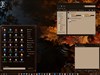
The graphic above shows in the top half the Start Panel opened, but I have not hovered over the All Programs Arrow yet. In the bottom half, I am hovering over the All programs arrow, and you can see the color shift on the button, and that the More Programs menu is open, and most importantly, no hover color anywhere to be seen.
P.S. For some odd reason my cursors never want to show up in my screen shots, but trust me, the cursor was over the button in the bottom half. If you have any doubts, try it yourself.
[Message Edited]
[Message Edited]

The method I used is pretty much as I outlined in previous posts in this thread. From the CopperDeck 2 WB files, I took the sp-moreprogs.bmp and cropped the top off of it, to a new size of 190 x 20. I then added the "All Programs" text and a small arrow to the image. I then copied this image and made a new image 570 x 20, and tiled three copies of this modified graphic. Next, I Selected the center and right images and used a hue map to change the orange bits to a hue with more red, thus giving me a mouse-over and pressed state with some emphasis. I then flattened and saved the image as sp-moreprogsarrow.bmp in the copperdeck_2 WB folder.
I then opened CopperDeck 2 in Skin Studio, and replaced the More Programs Arrow graphic (trayarrow.tga) with my new bitmap. Since I was replacing a tga with a bmp, I had to disable translucency. I then edited the content margins for the More Programs Background item. I had to shift them a great deal, finally ending with a -90 (negative) margin for the left content margin. Because of the cropping I did, I also had to adjust the top and bottom content margins as well to get things to line up properly.
The graphic above shows in the top half the Start Panel opened, but I have not hovered over the All Programs Arrow yet. In the bottom half, I am hovering over the All programs arrow, and you can see the color shift on the button, and that the More Programs menu is open, and most importantly, no hover color anywhere to be seen.
P.S. For some odd reason my cursors never want to show up in my screen shots, but trust me, the cursor was over the button in the bottom half. If you have any doubts, try it yourself.
[Message Edited]
[Message Edited]
Satans Child
Reply #30 Monday, March 22, 2004 8:05 AM
Reply #30 Monday, March 22, 2004 8:05 AM
Shameless D you're a madman  thank you so much for this post. I'm gonna give it a try when I get back and let you know what happens.
Every time I take a screenshot my cursor never shows either.
 thanks again
 thank you so much for this post. I'm gonna give it a try when I get back and let you know what happens.
Every time I take a screenshot my cursor never shows either.
 thanks again
Sput
Reply #31 Monday, March 22, 2004 12:53 PM
Reply #31 Monday, March 22, 2004 12:53 PM
Satans Child - odd, I did the same thing to try and check the clicked image and now when I click it just stays on the rolled over state...ditto the start button itself. I have found with the start button that pressing the Windows key sometimes makes it display the pressed state, but only under some set of conditions I've not tracked down yet! I've never seen the pressed state when using the mouse for the start button, the all programs button or the MDI buttons for that matter...
Shameless Designs - I agree...you've convinced me
Shameless Designs - I agree...you've convinced me
Sput
Reply #32 Monday, March 22, 2004 12:59 PM
Reply #32 Monday, March 22, 2004 12:59 PM
Shameless Designs - well done for the explanation of how to make it work...It would be good if someone could come up with a formula for the left/top bottom content margins needed, though on the skin I'm currently working on I managed to look at things systematically and made sense of it for a while - but that was weeks ago, and I've already forgotten what I figured out! 
It was something along the lines of needing twice the Program menu's width...no, that's not it...grrr...the numbers DO makes sense, but I forget how so if anyone has figured it out and CAN EXPLAIN IT then it would be a welcome addition to the tip in this ( https://www.wincustomize.com/msgboard.asp?BID=WCS&id=187649 )
thread on the subject

It was something along the lines of needing twice the Program menu's width...no, that's not it...grrr...the numbers DO makes sense, but I forget how so if anyone has figured it out and CAN EXPLAIN IT
then it would be a welcome addition to the tip in this ( https://www.wincustomize.com/msgboard.asp?BID=WCS&id=187649 )thread on the subject
Shameless Designs
Reply #33 Monday, March 22, 2004 4:33 PM
Reply #33 Monday, March 22, 2004 4:33 PM
Sput... I think it will be kind of tough to come up with an exact formula, unless you always make your skin the same way. The default size of the More Programs Panel in SS is 190 x 30. The More Programs Background size for this skin is 190 x 25, but the draw method is stretch, so it would end up occupying the full size of 190 x 30. (Only the 2nd row of pixels from the top is stretched... pretty clever, Treetog .
Anyway, that is the reason I cropped the top of the graphic I used as the basis for the MoreProgsArrow, so that wound up to be 190 x 20 (per state). My left content margin had to be -90 to pull the arrow graphic all the way to the left and eliminate the hover color completely, so that number I feel reasonably confident that it could be used as a starting point, at least.
My top content margin was 10, which makes sense given that I wanted the bottom edges to match and the difference in size vertically was 10 pixels. The right content margin was 0 which also makes sense as the graphics were of identical width. The bottom content margin was 1, which makes no sense mathematically, however it was the only way that the two graphics would align properly.
At any rate, I'm not that confident that there is a formula in all of that detail. It might best be used as a starting point for adjustment - a rule of thumb if you will. I'll keep looking at a few other skins I want to tweak now, and see if I can find a pattern out of it all.
.Anyway, that is the reason I cropped the top of the graphic I used as the basis for the MoreProgsArrow, so that wound up to be 190 x 20 (per state). My left content margin had to be -90 to pull the arrow graphic all the way to the left and eliminate the hover color completely, so that number I feel reasonably confident that it could be used as a starting point, at least.
My top content margin was 10, which makes sense given that I wanted the bottom edges to match and the difference in size vertically was 10 pixels. The right content margin was 0 which also makes sense as the graphics were of identical width. The bottom content margin was 1, which makes no sense mathematically, however it was the only way that the two graphics would align properly.

At any rate, I'm not that confident that there is a formula in all of that detail. It might best be used as a starting point for adjustment - a rule of thumb if you will. I'll keep looking at a few other skins I want to tweak now, and see if I can find a pattern out of it all.
Shameless Designs
Reply #34 Monday, March 22, 2004 5:47 PM
Reply #34 Monday, March 22, 2004 5:47 PM
I just realized, belatedly, I admit, that I really should apologize to Treetog for using his skin in a public forum like this without discussing it with him. I only did it because CopperDeck 2 is what started this whole thread, and I got caught up in trying to solve the riddle, so to speak. What was it that Martin used to say? Use, Dissect, Learn, Improve...
At any rate, Treetog, I apologize if I offended you at all by using your wonderful graphics in this way. If you have any problem with it, please let me know and I'll request an admin to Delete those posts and I will take the graphic down immediately. I am a great admirer of your work, and very thankful to have it on my desktop. I hope you understand that I did it so everyone would have a common point for discussion of this topic.
I have also sent an email to you about this subject. Thank you.
[Message Edited]
At any rate, Treetog, I apologize if I offended you at all by using your wonderful graphics in this way. If you have any problem with it, please let me know and I'll request an admin to Delete those posts and I will take the graphic down immediately. I am a great admirer of your work, and very thankful to have it on my desktop. I hope you understand that I did it so everyone would have a common point for discussion of this topic.
I have also sent an email to you about this subject. Thank you.
[Message Edited]
Latin4567
Reply #36 Monday, March 22, 2004 8:26 PM
Latin4567 ponders Satan's Child' sanity

Reply #36 Monday, March 22, 2004 8:26 PM
| Love, Peace and Chicken Grease |
Latin4567 ponders Satan's Child' sanity
CerebroJD
Reply #37 Monday, March 22, 2004 8:30 PM
Reply #37 Monday, March 22, 2004 8:30 PM
Wow. We're getting some really informative threads on WindowBlinds as of late! Good work solving these little hiccups guys.
Sput
Reply #38 Monday, March 22, 2004 8:50 PM
Reply #38 Monday, March 22, 2004 8:50 PM
Just FYI, on the skin I'm working on, the Program List image is 186px wide, More Programs bkgrnd is 186px wide, the more programs arrow is 186px wide times 3 images (558px total), and to get it all to line up, the offset needed on the content margin is -95px. All other margins etc are 0 and the heights of the graphics are all consistent to avoid any stretching being needed.
So...er...that makes no sense You might be right that there isn't an easy formula for this...but I'm sure I got it right 1st time from working something out...
So...er...that makes no sense
You might be right that there isn't an easy formula for this...but I'm sure I got it right 1st time from working something out...
Satans Child
Reply #39 Monday, March 22, 2004 10:15 PM
Reply #39 Monday, March 22, 2004 10:15 PM
Shameless D ... you are a bad motherfSHUT YO MOUTH
Thank you so much for your help and shareing with all of us, this can only lead to bigger better things.
Thank you so much for your help and shareing with all of us, this can only lead to bigger better things.
SelfExiled
Reply #40 Wednesday, March 24, 2004 4:56 AM
Reply #40 Wednesday, March 24, 2004 4:56 AM
Wow, that was good. Everything that I've seen has pasted over the image. Good work.
Please login to comment and/or vote for this skin.
Welcome Guest! Please take the time to register with us.
There are many great features available to you once you register, including:
- Richer content, access to many features that are disabled for guests like commenting on the forums and downloading skins.
- Access to a great community, with a massive database of many, many areas of interest.
- Access to contests & subscription offers like exclusive emails.
- It's simple, and FREE!
|
|
Page 2 of 3 | |
|
|---|
Reply #21 Saturday, March 20, 2004 6:48 AM