








































October Desktop Screenshots
Friday, October 1, 2010 by Jafo | Discussion: WinCustomize Talk
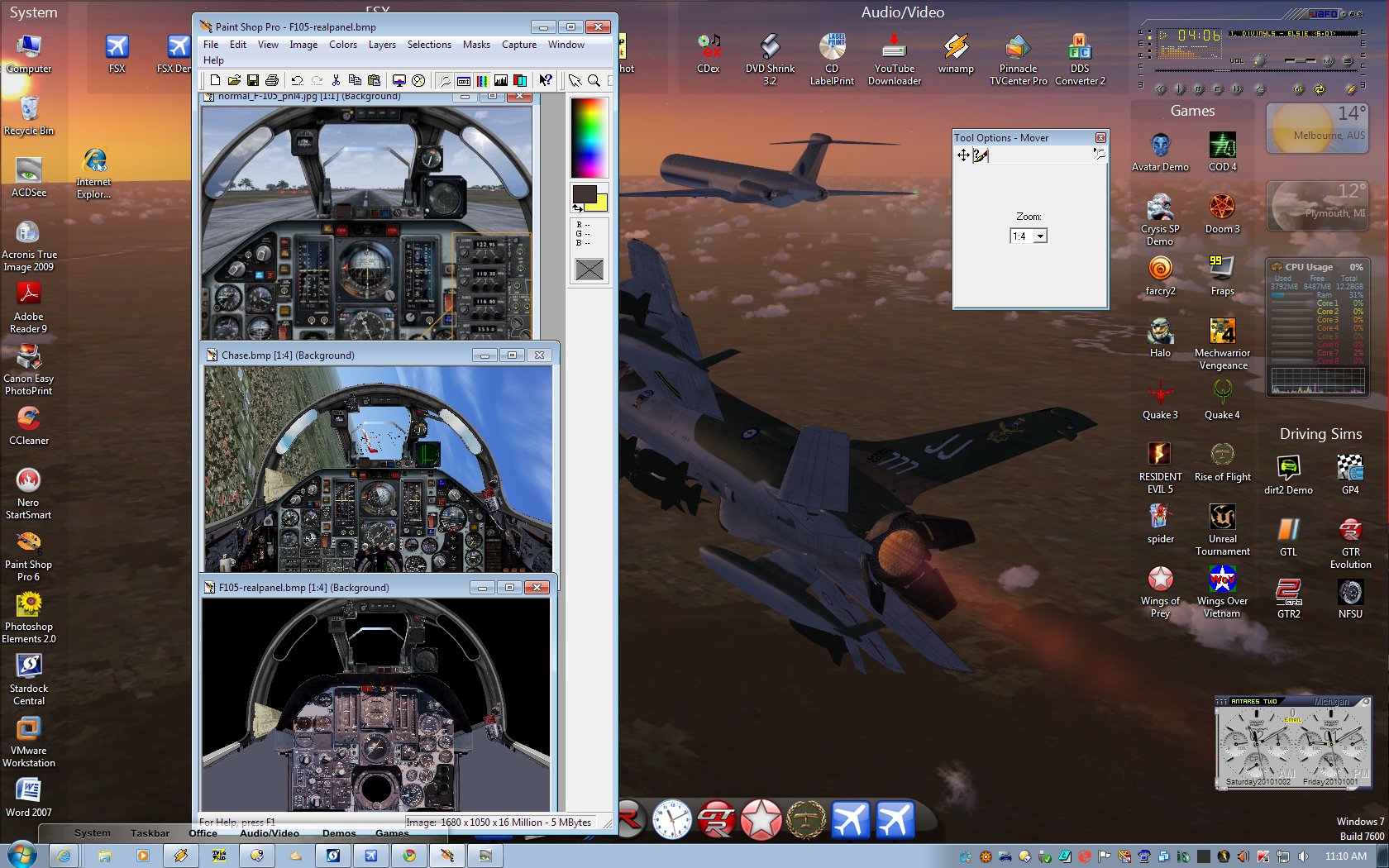
I'm still having loads of fun with the 'GUI' of an aircraft in FSX.
First there was the 'original' loosely representational version....
Then I madly reworked it to show more....and have more features/function.....
Now I'm in the throes of doing it CORRECTLY.
The panel itself is from a high-res photo which annoyingly was not square-on...but had to be re-proportioned for corrected perspective, etc.
It now shows the controls and gauges in their real position/proportion...though the canopy is still more 'artist impression' than 100% right....at this stage.
Next time I'm in the US I will make a point of getting to see one of them [F105D] in the flesh and I'll be taking a LOT of pictures...
Annoying thing is I was within cooee of one and didn't realise..... Dulles Airport in Washington .... Darn it.
 |
|
Page 4 of 7 | |
|
|---|




Reply #64 Wednesday, October 13, 2010 5:53 PM
Rick...what are you using to do your screenshots with? This last one was kind of blurry.
Reply #65 Thursday, October 14, 2010 10:42 AM
Only PrtScn would think that is more to do with messing with colours
Oh  and the dock was a quick copy over to ObjectDock 2


Reply #66 Thursday, October 14, 2010 11:01 AM
My current desktop
I use Winstep extreme Work Shelf Start Bar using the latest skin called Tiki, My hidden Web Blind is Tiki I also use Nexus. I use Object dock also as seen in the Tabbed dock at the top, the lower dock is hidden
Wall Paper is by Gyulamost Windows Seven. https://www.wincustomize.com/explore/wallpapers/45200/
I modified it and coloured it most Icons are hidden by fences


Reply #67 Thursday, October 14, 2010 1:55 PM
I like to use Jing to take screenies, and Dropbox to store them/share them...



Reply #72 Thursday, October 14, 2010 5:38 PM

Everything Hardwood by RedneckDude. Oh ... and the Nexus Dock.









Reply #79 Sunday, October 17, 2010 8:48 PM

(that wall is called BiPolar)

Please login to comment and/or vote for this skin.
Welcome Guest! Please take the time to register with us.
There are many great features available to you once you register, including:
- Richer content, access to many features that are disabled for guests like commenting on the forums and downloading skins.
- Access to a great community, with a massive database of many, many areas of interest.
- Access to contests & subscription offers like exclusive emails.
- It's simple, and FREE!
|
|
Page 4 of 7 | |
|
|---|
Reply #61 Wednesday, October 13, 2010 6:03 AM
Tim! Excellent! You've done a great job on this one....the olive green is just right. Well done, Master Tim!
And Mike.... you need to skin your Avatar with the new badge! Congrats, Man!
