































start menu
Thursday, July 29, 2010 by MzGaz | Discussion: Beginners
How do you make a short start menu as I have seen in many screenshots? I've tried editing the skin and saving, but it hasn't change when I re-apply the windowblind.
Thank you, Mary
 |
|
Page 1 of 2 | |
|
|---|

Reply #2 Thursday, July 29, 2010 3:30 PM
To decrease the number of programs you have listed on the start panel (and thereby decrease the height of the start panel):
Right click on the taskbar, select Properties. When that window opens, select the start Menu tab, then click on the Customize button. At the bottom on the right, is the place where you can decrease the number of program items. Click OK. Be sure to click on Apply before you close out of the Properties Window completely.

Reply #3 Thursday, July 29, 2010 3:50 PM
Note that you may need to decrease the number of items on the right side as well as the number of pinned or recently opened programs shown on the left side to get it as short as you want. You may also try switching to small icons for further size reduction. (I like my start menu short as well.)

Reply #4 Friday, July 30, 2010 12:25 AM
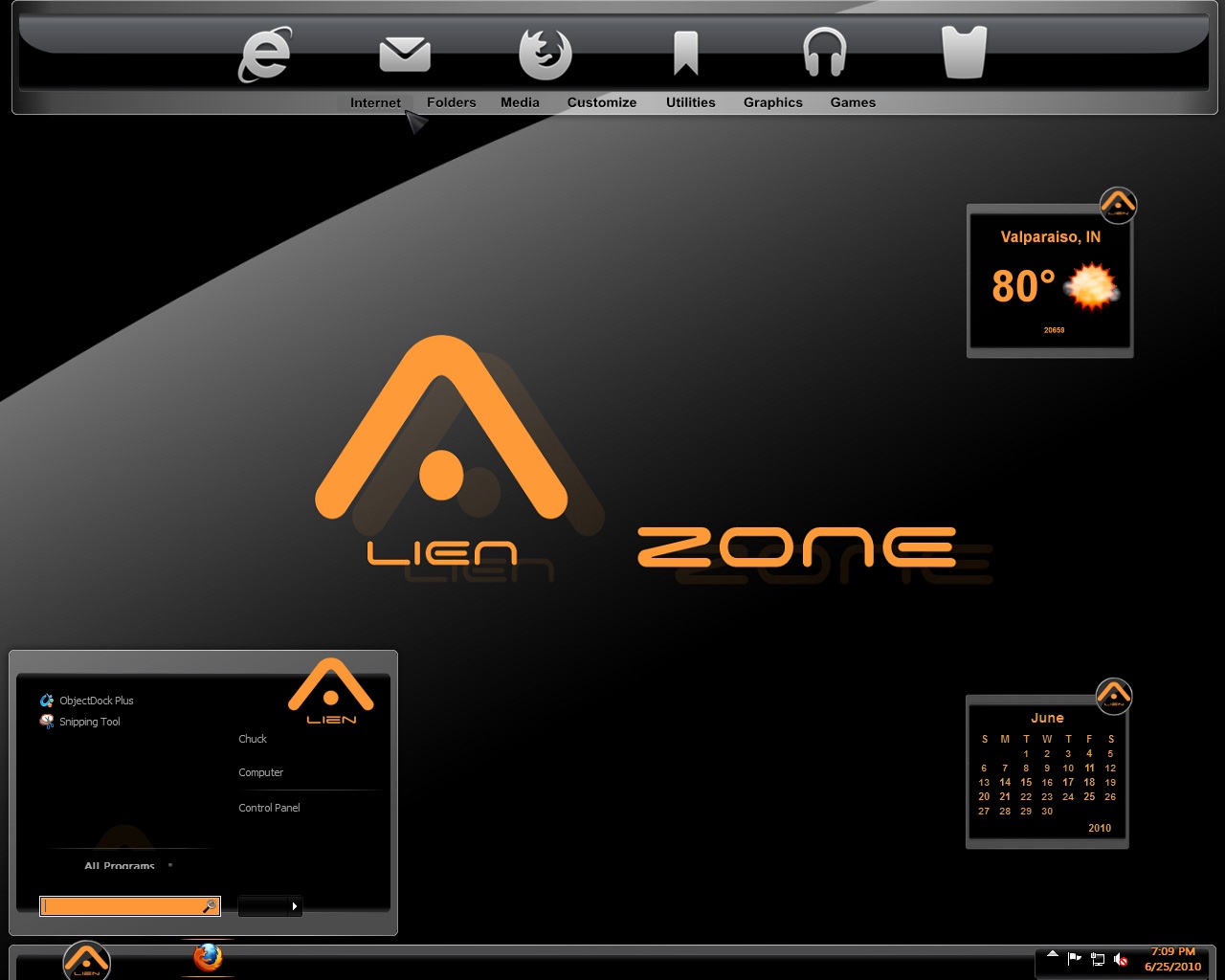
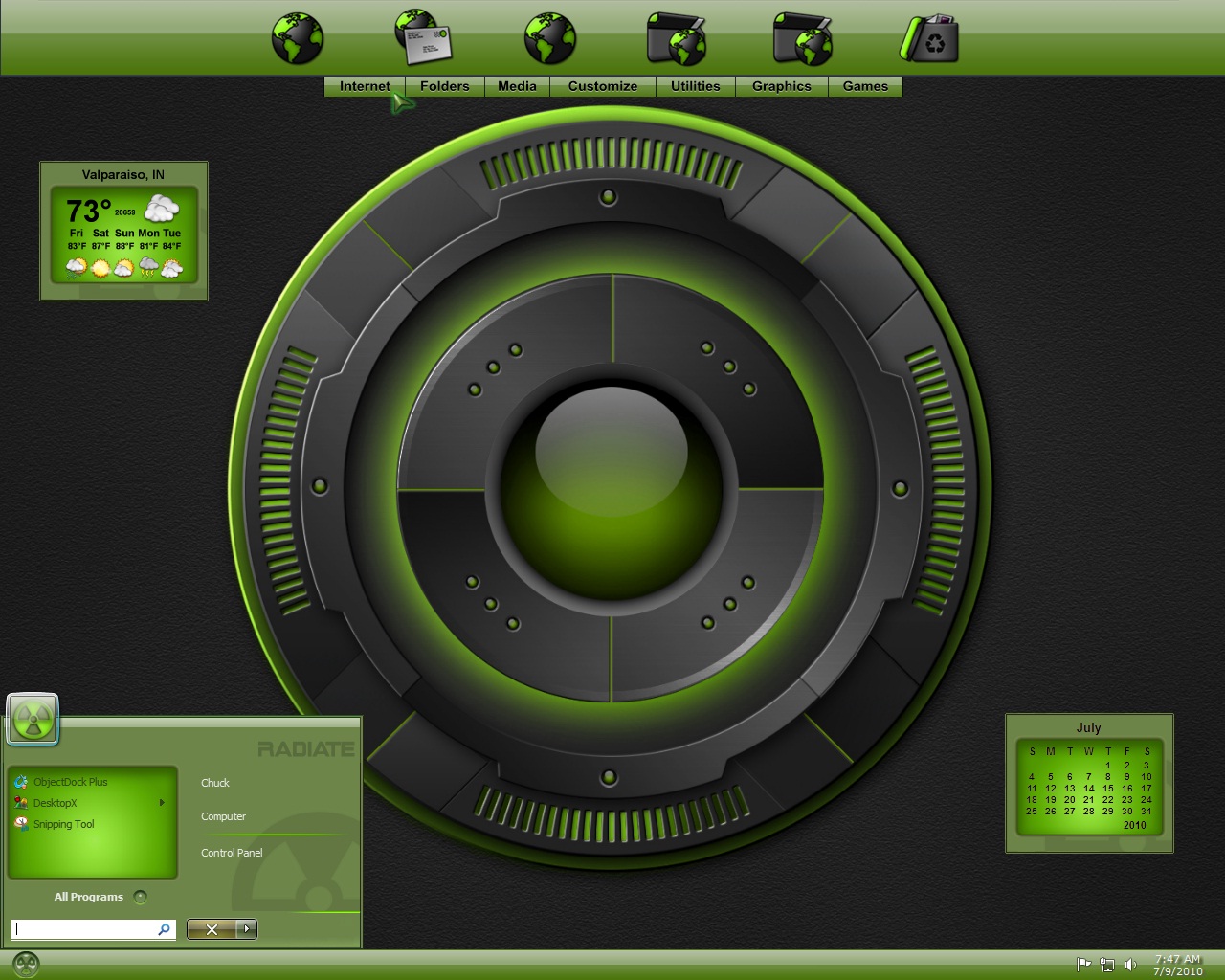
Thank you. I know about those settings. Below are a couple ss that show an even shorter menu. I have the second ss skin myself and the start menu is not that short.
http://skins14.wincustomize.com/17/98/1798201/13/26474/preview-13-26474.jpg
http://skins19.wincustomize.com/17/98/1798201/13/26499/preview-13-26499.jpg

Reply #5 Friday, July 30, 2010 5:49 AM
In those shots, small startpanel icons are being used. That would also make a difference.

Reply #6 Friday, July 30, 2010 8:57 AM
Hey MzGaz, I see you are a fellow Hoosier! Nice screen shot of my Radiate theme on Win 7, looks good!
Reply #7 Friday, July 30, 2010 9:10 AM
I realize about the small icons, the only thing I have on my start menu is computer and control panel and still the start menu is larger.
Lightstar, Hoosier? If you mean from Indiana, no sorry. I'm close though, Illinois 
Yes, Radiate is a great wb! Looks good on Vista, too. Just trying to figure out how to get my start menu that short. I'll ask the publisher of that SS as well.
Reply #8 Friday, July 30, 2010 2:01 PM
Oop's sorry then, I just now realized those were not your screen shots. 

Reply #11 Saturday, July 31, 2010 1:08 PM
i edit the skin in skinstudio and it shows that the start menu looks small and I save it as a substyle. when i apply it, looks the same as if i hadn't resized it. tried reloading wb as well.

Reply #12 Saturday, July 31, 2010 1:37 PM
It has nothing to do with editing in skinstudio, you say you only have computer and control panel on start menu, that is on the places (right) side, how many programs do you have on the programs (left) side. You must decrease number of items on this side as well in order to shorten the start menu.
Reply #13 Saturday, July 31, 2010 10:31 PM
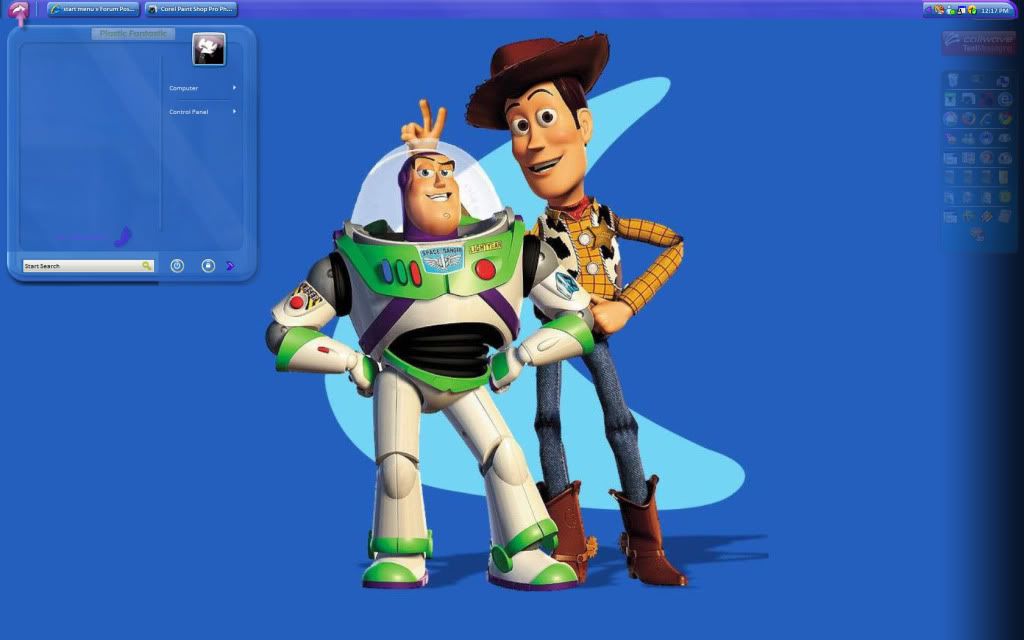
i have no programs listed on left side. Here is a pic of my desktop. I've even resized the program list image and the place list image in skinstudio. It shows that the menu is much shorter in skinstudio and I saved it as a sub-style, but it doesn't change what you see below once I reapply the skin after editing.
http://i873.photobucket.com/albums/ab299/mzgaz/stuff/DESKTOPFORUM.jpg

Reply #15 Monday, August 2, 2010 1:51 PM
Open SKS and edit the text margins for the places side...the bottom one will need to be a negative number. Its a Vista/7 bug.
Reply #16 Tuesday, August 3, 2010 9:29 AM
Editing the text margins will give me a vertically shorter menu like shown in the 2 screenshots above?
Reply #17 Tuesday, August 3, 2010 10:35 AM
Yes, just keep lowering the text margin on the right (places panel) side until you get what you want, even if you go into negative numbers.
Reply #18 Tuesday, August 3, 2010 1:09 PM
In SKS, chose "edit startmenu", chose "place list", chose "text". Played around a bit with the "bottom" and even lowered it all the way to -100 and saved changes. No change. Reapplied skin couple times, changed skin and reapplied the one I edited, still no change. I have free version of SKS, does that matter?
Reply #19 Tuesday, August 3, 2010 1:30 PM
Make sure the amount of recently used programs to be displayed is set to 0.(and clear the list) see if that helps.
SKS being the free version shouldnt affect this...but I've never used it so I cant swear.
Reply #20 Tuesday, August 3, 2010 8:26 PM
the only thing i have on my start menu is my computer and control panel. all else had been set to 0.
http://i873.photobucket.com/albums/ab299/mzgaz/stuff/DESKTOPFORUM.jpg
Please login to comment and/or vote for this skin.
Welcome Guest! Please take the time to register with us.
There are many great features available to you once you register, including:
- Richer content, access to many features that are disabled for guests like commenting on the forums and downloading skins.
- Access to a great community, with a massive database of many, many areas of interest.
- Access to contests & subscription offers like exclusive emails.
- It's simple, and FREE!
|
|
Page 1 of 2 | |
|
|---|
Reply #1 Thursday, July 29, 2010 1:16 PM
The height of the start menu is controlled mainly by how many items you have on the start menu, editing the skin would not make that much difference if you have a lot of items on your start menu.