





































Penthouse WB - Released
Class Matters !
Sunday, July 11, 2010 by vStyler | Discussion: New Releases
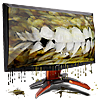
Months in development, and crafted meticulously in Cinema 4D, the Penthouse Windowblind will be, in my opinion, the most realistic 3D theme to ever grace your PC. Lit with 8 different lights and an HDRI skylight, the lighting of this theme is what makes it stand out far above anything that has preceded it.
100 % skinned with all the craftsmanship you have come to expect from MaxStyles.com, the Penthouse WB is sure to make your PC look great for many years to come.
It's is fully skinned for XP, Vista and Windows 7 and any and all matching skins will be uploaded on WinCustomize shortly.
I'd like to thank everyone for their continuing support, I could not keep doing this without you.
Lastly, thanks to my numerous testers and those that have made matching skins.
Please enjoy the contemporary elegance that is.. the Penthouse WB.

 |
|
Page 1 of 12 | |
|
|---|

Reply #2 Sunday, July 11, 2010 5:10 PM
Docks are uploaded as well now! https://www.wincustomize.com/explore/objectdock/16725/ (docks just got updated - 7/12/10 going through moderation) Penthouse Xtreme coming soon!


Reply #3 Sunday, July 11, 2010 5:16 PM
Thanks guys, Doc, check ur mail, WG, if you can post links to matching skins that would be super... and pop on MSN for the final WB.



Reply #6 Sunday, July 11, 2010 5:30 PM
Oh I'll manage somehow 


Reply #8 Sunday, July 11, 2010 5:42 PM
Doc, did you intentionally darken the theme? or is that left over from another theme, the dark stuff looks almost black now.. I just want folks to get an impression of the actual theme as it looks natively.. at least in the release thread


Reply #9 Sunday, July 11, 2010 5:44 PM
You better....how else you gonna pay the rent in your Penthouse? 

Reply #10 Sunday, July 11, 2010 5:55 PM
wow....what a screenie!...... 
an absolutely stunning blind....
in a league of it's own.....like the skinner..... 
'bout to upload an XP booter.....and XP logon in the works....  Edit...... XP booter....


Reply #11 Sunday, July 11, 2010 5:57 PM
Purchased. Here's to Vstyler's retirement fund!!  Seriously though, amazing work John.


Reply #13 Sunday, July 11, 2010 6:21 PM
I am using windows 7. I have a problem with the all programs section being an inch or two lower than the shut down section and not lining up. I have tried changing resolution, font size and removing all startmenu items, but no change. Only have this problem on a couple of windowblinds and this one is doing the same thing. Can anyone help? By the way, this penthouse blind is fantastic!
P.S. Don't know how to insert a screen shot of the problem.
Reply #14 Sunday, July 11, 2010 7:28 PM
haven't had any other reports of that Patch, are u using the latest version of WB? Its pretty much a must thesedays
As you can see from screenshots its properly aligned
Reply #15 Sunday, July 11, 2010 7:29 PM
P.S. Don't know how to insert a screen shot of the problem.
up by the F12 Key to the right hit PRT SCR / SYS RG then open paint then hold down CTRL and V inside paint then save it , then upload it to and imaging site like
imageshack.us sign up then click on MY IMAGES then on the right in BOLD UPLOAD IMAGE. when Image is up'ed RIGHT click on it Click on SHARE IT
then look for the Box that has FORUMS Right Click inside it and click COPY then come here and Past then Highlight it then look up by the Smileys and click on the infinity looking Icon sideways 8 (Insert / edit link). a box will open just copy that info into the top line .. click ok done

Reply #16 Sunday, July 11, 2010 7:43 PM
I haven't yet broken down and purchased a master blind in the several years I've been using Object Desktop... but I think this will force me to do it! Awesome looking work, seriously exceptional.
Reply #17 Sunday, July 11, 2010 7:47 PM
No, v.... it's PERFECTLY aligned. If Patch is having a problem (sorry for your trouble, Patch) he should contact [email protected] since it's doubtful support would see his problem in this thread...or, post a thread...
Patch9164 - check to see your subscription is up to date and then open Impulse and on WB7, click shift+right click and choose "Verify Installation" in the menu that appears. You might be needing an update or fix...and Impulse will detect both.
Reply #18 Sunday, July 11, 2010 7:52 PM
If they have a substyle, are you sure you are using the correct one?
Reply #19 Sunday, July 11, 2010 7:54 PM
Patch, also sounds like u have the vista version loaded on Win 7, that would cause that issue as well, as the panels are cut differently.
Everyone else.. cheers !
 lovin' it....thanks mate....
Please login to comment and/or vote for this skin.
Welcome Guest! Please take the time to register with us.
There are many great features available to you once you register, including:
- Richer content, access to many features that are disabled for guests like commenting on the forums and downloading skins.
- Access to a great community, with a massive database of many, many areas of interest.
- Access to contests & subscription offers like exclusive emails.
- It's simple, and FREE!
|
|
Page 1 of 12 | |
|
|---|
Reply #1 Sunday, July 11, 2010 5:09 PM
Best skin you ever made, John...and that's saying a lot.
I don't know what you'll do to beat this one, but I thought that after Prowler, Vox and Venom....Penthouse will be one tough act to follow! That's for sure!
With my wall....and Steve's Docks...Harley's CFX.....with WSX to come.... Phoon's winning label.
Penthouse - Class Matters