









































Miricla & Tinted: WIP
His 'n Hers Blinds
Wednesday, June 24, 2009 by Mirsguy | Discussion: Sneak Previews
I recently began work on a new WindowBlind I am calling 'Miricla.' This is a skin that I am making specifically for my wife, Brysgirl. She has not been able to find that 'perfect skin' yet, so I am creating it for her.
It is primarily blue in color and quite glassy. I chose the blue color because I just couldn't bring myself to work with pink. This skin is a recolorers dream, and looks good however you set the color slider in the config settings.
When I complete Miricla, I will begin work on 'Tinted,' which will be essentially identical in most ways to Miricla, just with dark glass rather than blue. Also, the Tinted WB will be made to match the ObjectDock backgrounds I have already created of the same name.


 |
|
Page 4 of 13 | |
|
|---|

Reply #62 Tuesday, July 14, 2009 4:56 PM
All check out well.
I have.
Tim, e-mail me; mirsguy at gmail dot com.

Reply #63 Tuesday, July 14, 2009 8:17 PM
There is a 4 pixel difference in height between the maxxed perpixel and standard bitmapped frames.Maxxed perpixel will display 4 less.Image size of the maxxed image isnt important unless it is less than that amount...all other sizes will be cut off on top.
best is to make maxxed image 4 less than bitmapped size.(not the perpixel titlebar)
If caption height is 26...maxxed perpixel will be 22.
Reply #64 Tuesday, July 14, 2009 8:19 PM
If that dosnt fix it...check trans settings and sizing margins for maxxed image...looks like something is wrong...Is it supposed to be black?
Why are you not using your perpixel image from perpixel frames?
Reply #65 Wednesday, July 15, 2009 12:24 AM
best is to make maxxed image 4 less than bitmapped size.(not the perpixel titlebar)
If caption height is 26...maxxed perpixel will be 22.
I feel stupid. I didn't realize there was a correlation between the two. I thought that the settings were just independent of each other.
I ended up taking my caption pp border image and using it to create my maximized caption image. Problem solved.
Thanks everyone for your input! 
Reply #66 Wednesday, July 15, 2009 1:11 AM

Reply #67 Thursday, July 16, 2009 2:19 PM
Gettin' my blues on 
Projected finish date: August 1.


Reply #68 Thursday, July 16, 2009 2:38 PM
 to the Zu!

Reply #70 Wednesday, July 22, 2009 2:00 AM
Holy cannoli! This is downright phenomenal! I absolutely can't wait. 
Reply #71 Wednesday, July 22, 2009 9:12 AM
Sad to say but you'll have to (a little). I've been really busy lately, and the *fun* work obviously has to take a back seat.
Practically speaking though, it's almost done. 
 Yeah; who needs ya?
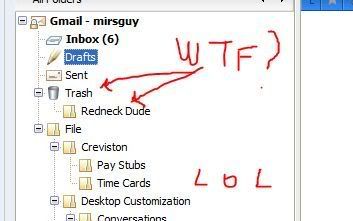
Actually, that's an empty folder, so no true trashing was done. However, I'm sure if "Fred" was around, that we could change that...
Reply #72 Friday, July 24, 2009 12:41 PM
Finalized Windows, Combo box buttons, and Spin controls.


Reply #76 Friday, July 24, 2009 3:41 PM
Yep, just don't let those dern geese in here--and by all means keep the poo-slinging outside!

Reply #77 Saturday, July 25, 2009 9:51 PM
 .........and My fees are reasonable!
 ......um....oh...... Hi there Jim.....
Please login to comment and/or vote for this skin.
Welcome Guest! Please take the time to register with us.
There are many great features available to you once you register, including:
- Richer content, access to many features that are disabled for guests like commenting on the forums and downloading skins.
- Access to a great community, with a massive database of many, many areas of interest.
- Access to contests & subscription offers like exclusive emails.
- It's simple, and FREE!
|
|
Page 4 of 13 | |
|
|---|
Reply #61 Tuesday, July 14, 2009 3:33 PM
Mine is doing the same, and I have assigned an image to maxed caption.