






































3DX Weather Docklet Backdrops
For Object Dock
Wednesday, March 18, 2009 by PuterDudeJim | Discussion: OS Customization
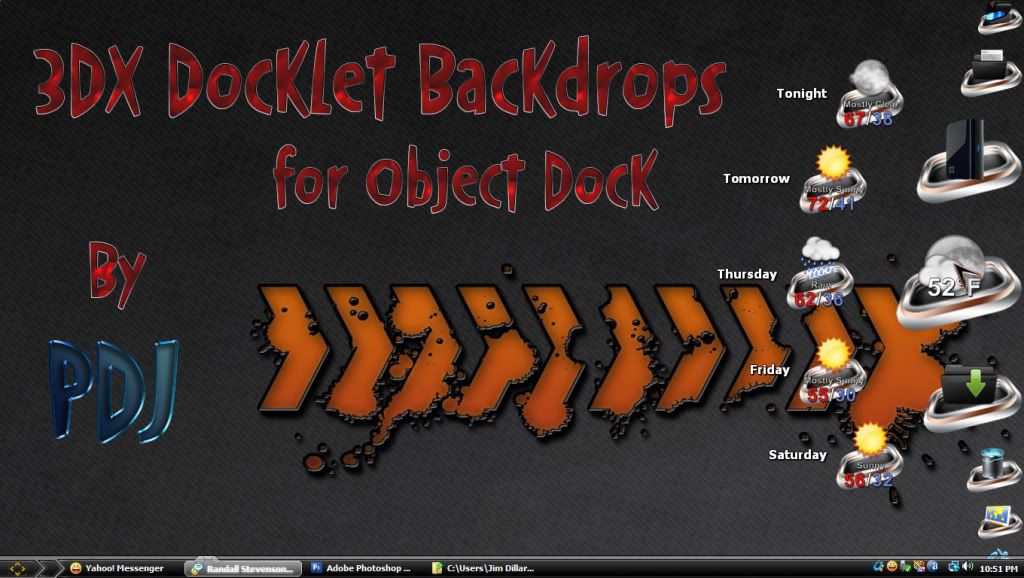
3DX backdrops for the Object Dock weather docklet. Just unzip these and go to your stardock directory in program files. Object Dock/docklets/weather. Find the image called backdrop.png.Add a .bak to the end of it. Then copy one of my 63 into the folder, rename it backdrop.png. Just repeat this whenever you want to change backdrops. I hope you enjoy!


Reply #3 Wednesday, March 18, 2009 2:33 PM
It would be nice if we could adjust these like tiles, so the icons/text could be set above the tile some in order to make it more readable.
Reply #4 Wednesday, March 18, 2009 5:38 PM
I can do this, all it would require is to make a blank png image, taller than the docklet image, copy the docklet image to it, and situate it at the bottom of the image. Save and it should work, unless the docklet size is hard coded.
Please login to comment and/or vote for this skin.
Welcome Guest! Please take the time to register with us.
There are many great features available to you once you register, including:
- Richer content, access to many features that are disabled for guests like commenting on the forums and downloading skins.
- Access to a great community, with a massive database of many, many areas of interest.
- Access to contests & subscription offers like exclusive emails.
- It's simple, and FREE!
Reply #1 Wednesday, March 18, 2009 9:18 AM
Intersting Jim... nifty Idea