






































Start Menu Avatar
Wednesday, January 28, 2009 by ablebodied | Discussion: SkinStudio


Reply #2 Wednesday, January 28, 2009 9:35 AM
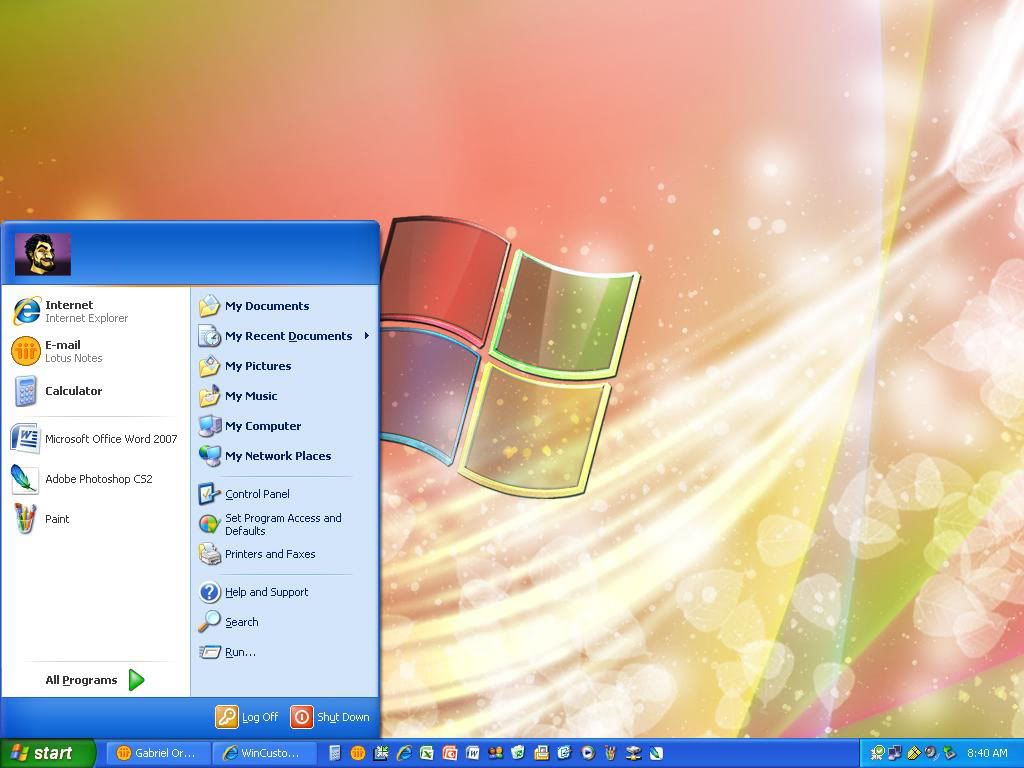
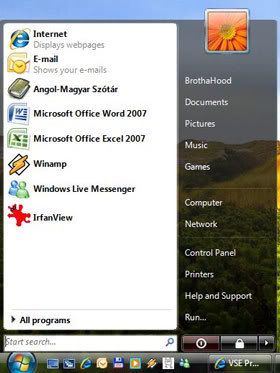
Text (content) margins for userpane moves it. 'Top Part' in SKS
Reply #3 Monday, February 9, 2009 11:28 PM
it is SKS? i have this problem to..
-----------------------------
www.awtoys.com
Reply #4 Wednesday, February 11, 2009 4:28 AM
-----------------------------
www.awtoys.com
it is odd for sure, I finally got the user icon to move to the left by setting the left text margin to my toppart image width - user icon image width+ a little. top part image is 360W icon image is 55W I set left text margin to 280.
so yes it will move, but it caused me to lose the user account name on the toppart. pushing the user icon to the right pushed the name text off the menu into transparency.
How do you set the icon to the right with the user name to the center/left? or is that possible?
are our choices usericon left, user name center/right
or user icon right, no user name?
Please login to comment and/or vote for this skin.
Welcome Guest! Please take the time to register with us.
There are many great features available to you once you register, including:
- Richer content, access to many features that are disabled for guests like commenting on the forums and downloading skins.
- Access to a great community, with a massive database of many, many areas of interest.
- Access to contests & subscription offers like exclusive emails.
- It's simple, and FREE!
Reply #1 Wednesday, January 28, 2009 9:29 AM
I wasn't sure but i tried going to Edit Start Menu, User Icon Background, and played with the margins but I couldn't get it to work. I also went to Edit start Menu, Top, Chose the Text tab, then played with the margins to try and move the placement of where the picture would appear. But I cant get it to work.