









































ecoLogical WB preview
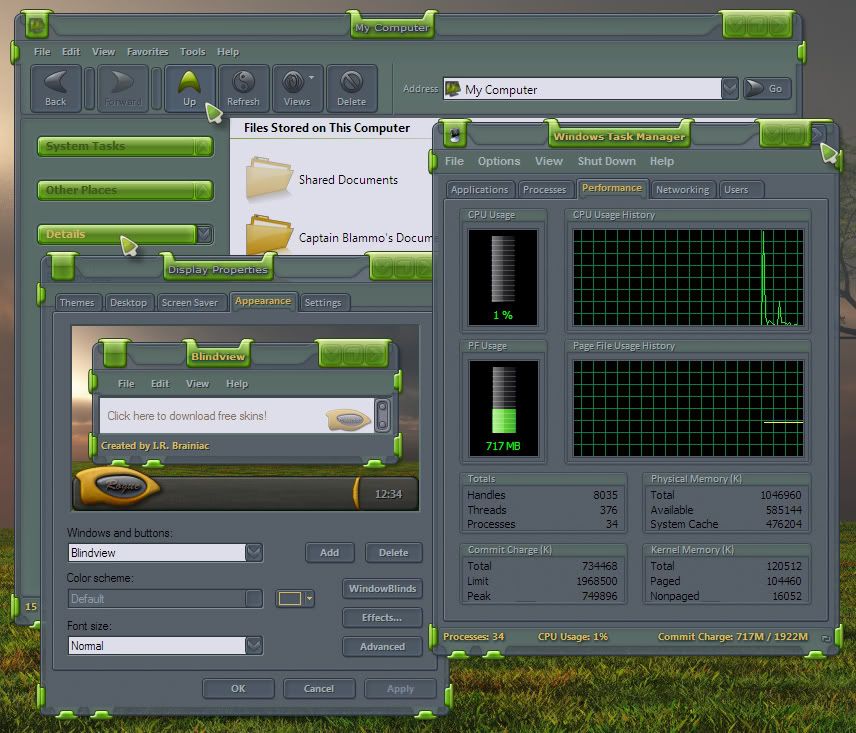
Its GREEN!...but you can recolor it.
Friday, June 20, 2008 by I.R. Brainiac | Discussion: Sneak Previews
Tried something a little different for me.I wanted something where elements went behind the glass and wrapped around.
 |
|
Page 2 of 5 | |
|
|---|
I.R. Brainiac
Reply #22 Sunday, June 22, 2008 6:00 PM

Reply #22 Sunday, June 22, 2008 6:00 PM
Yes...either as a single merged graphic...just have all layers you want to see turned on and select all>copy merged and paste to new document.
or just use copy to get a single active layer...tho layer blend mode will revert to normal blend mode and may look totlly different than it does in photoshop.Blend modes have to have something behind them to blend TOO.
Such as vivid...on a layer by itself...it aint vivid anymore.We learn to 'fake' these looks sometimes especially for translucent buttons that now sit on different backgrounds than the one they did in photoshop.
or just use copy to get a single active layer...tho layer blend mode will revert to normal blend mode and may look totlly different than it does in photoshop.Blend modes have to have something behind them to blend TOO.
Such as vivid...on a layer by itself...it aint vivid anymore.We learn to 'fake' these looks sometimes especially for translucent buttons that now sit on different backgrounds than the one they did in photoshop.

Vampothika
Reply #23 Monday, June 23, 2008 4:00 AM
well well well..so thats what you guys do.......a good tip for us struggling to even comprehend the evil task of even having substyle with vista and xp....perhaps you should speak up more often i.r, help is MUCH needed in the substyle area concering vista and xp.
Reply #23 Monday, June 23, 2008 4:00 AM
John and I still completely skin XP first in 5 then Switch to 6 to create Vista subs...less manual coding that way.
well well well..so thats what you guys do.......a good tip for us struggling to even comprehend the evil task of even having substyle with vista and xp....perhaps you should speak up more often i.r, help is MUCH needed in the substyle area concering vista and xp.
I.R. Brainiac
Reply #24 Monday, June 23, 2008 5:33 PM
Reply #24 Monday, June 23, 2008 5:33 PM
Not certain how John creates his substyles for Vista...I'm assuming he either skins XP completely in 5 then creates the substyle the old fashioned way.Then close 5 and get on 6 in Vista and designate the substyle as default for Vista.
or maybe he skins XP in 5 and gets on Vista and creates the sub for Vista in 6.
I'm trying the first method.but I'm just getting my feet wet.So far I just dont like 6,its slower to navigate and things seem somewhat 'hidden'...too modular...I much prefer 5's live clickable preview.
or maybe he skins XP in 5 and gets on Vista and creates the sub for Vista in 6.
I'm trying the first method.but I'm just getting my feet wet.So far I just dont like 6,its slower to navigate and things seem somewhat 'hidden'...too modular...I much prefer 5's live clickable preview.
Vampothika
Reply #25 Monday, June 23, 2008 5:44 PM
Reply #25 Monday, June 23, 2008 5:44 PM
at the moment, i skin vista in sk6 first and then do a sub in sk6 and then go to xp and do the rest, but that method is giving me nothing but headaches.... so im going to try yr method, sk5 and xp first........ hope it works out better.
philmar83
Reply #26 Tuesday, June 24, 2008 11:03 AM

Reply #26 Tuesday, June 24, 2008 11:03 AM
Great look Michael  I think I ll do some DX stuff with.( I know.... single widgets with bla bla.....
  )
)
 I think I ll do some DX stuff with.( I know.... single widgets with bla bla.....
  )
)



PuterDudeJim
Reply #29 Tuesday, June 24, 2008 1:44 PM

Reply #29 Tuesday, June 24, 2008 1:44 PM
Awesome stuff! Bilbo too! I may do a DX theme.
I.R. Brainiac
Reply #30 Wednesday, June 25, 2008 6:07 AM
Reply #30 Wednesday, June 25, 2008 6:07 AM
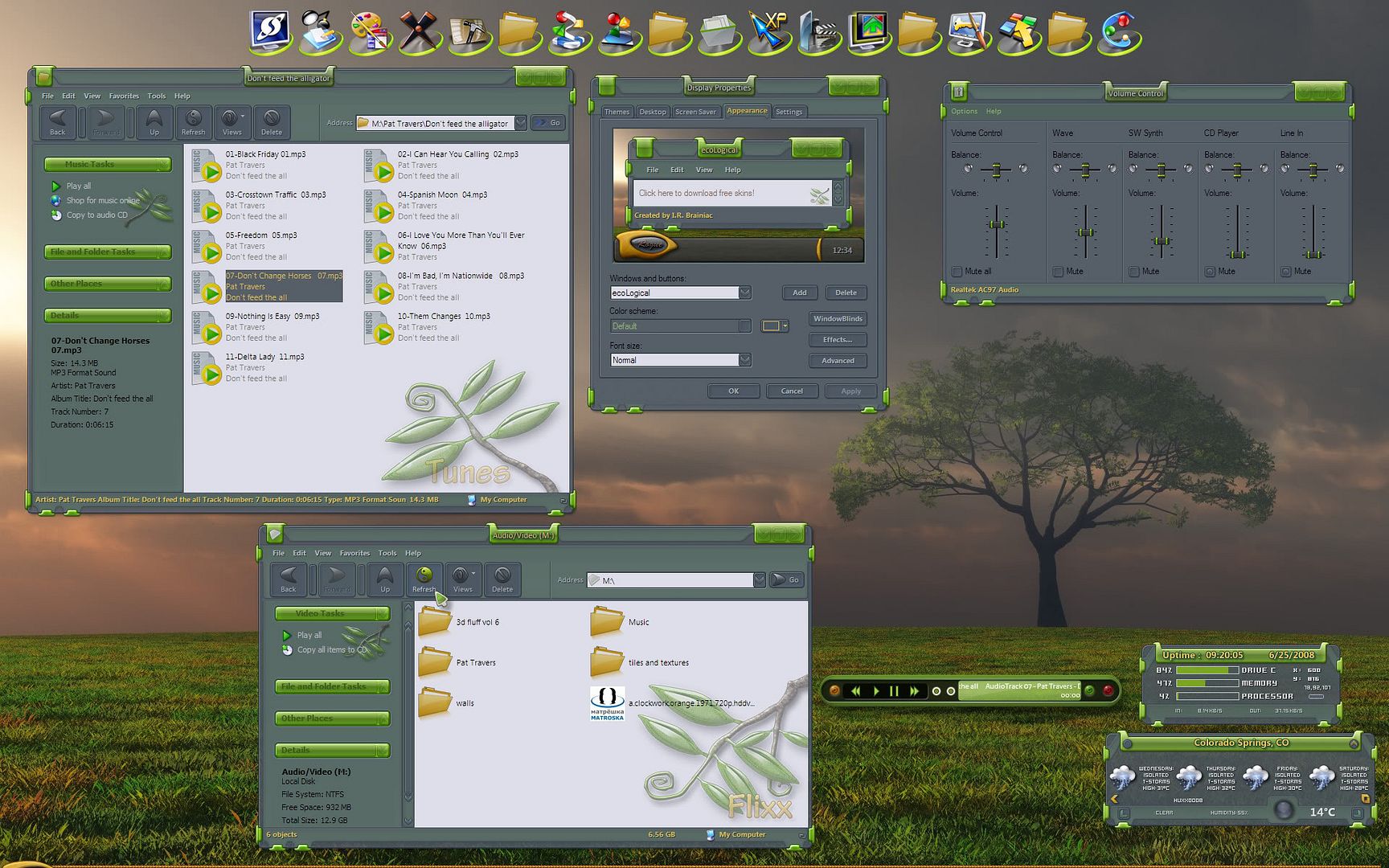
what we got so far...Bilbo's really nice allinwonder widgy,Aroche's Harmony cursor,Messiah1's Harmony Xion media player,Mohler's wall,Edifice icons and ecoLogical WB.
NightTrainthedark
Reply #31 Wednesday, June 25, 2008 6:17 AM

Reply #31 Wednesday, June 25, 2008 6:17 AM
Boom Boom ..out go the lights.
Looking fantastic IR. I can't wait to get my hands on this one.
Looking fantastic IR. I can't wait to get my hands on this one.


cplair
Reply #37 Wednesday, June 25, 2008 2:31 PM

Reply #37 Wednesday, June 25, 2008 2:31 PM
It just keep getting better and better IRB! I've learned to expect the unexpected from you bro! Always slick, always one of a kind, always thoroughly tested top to bottom and always the best!
Lookin' forward dude!
Lookin' forward dude!
messiah1
Reply #38 Wednesday, June 25, 2008 2:35 PM
Reply #38 Wednesday, June 25, 2008 2:35 PM
Oh, and like I told I.R. I'm hitting all my usuals on this. Docks, Xion, RC, Rainy and possibly a couple walls...
cplair
Reply #39 Wednesday, June 25, 2008 3:14 PM
Ya PIMP!
Reply #39 Wednesday, June 25, 2008 3:14 PM
Oh, and like I told I.R. I'm hitting all my usuals on this. Docks, Xion, RC, Rainy and possibly a couple walls...
Ya PIMP!

Please login to comment and/or vote for this skin.
Welcome Guest! Please take the time to register with us.
There are many great features available to you once you register, including:
- Richer content, access to many features that are disabled for guests like commenting on the forums and downloading skins.
- Access to a great community, with a massive database of many, many areas of interest.
- Access to contests & subscription offers like exclusive emails.
- It's simple, and FREE!
|
|
Page 2 of 5 | |
|
|---|
Reply #21 Sunday, June 22, 2008 5:29 PM
Going a bit of topic here:
Is it possible to somehow 'export' individual/all layers in a PSD to 'standalone' PNG images? (in PhotoShop)