




































How Leopard Demolishes Vista
Apple's Microsoft-Devouring Jungle Cat
Friday, November 2, 2007 by AtlanticCanadianScot | Discussion:
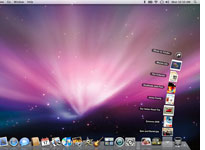 Steve Jobs may be the undisputed grand master of technology hype, but when it comes to numbering operating systems, he's oddly self-effacing. With Leopard, the new version of OS X, Apple has nudged the version number forward from 10.4 to 10.5.
an update with a few minor bug fixes, but Leopard includes more than 300 new features by Apple's
count. Even after you weed out several dozen pieces of ephemera such as Kerberized NFS—if you don't
know what that is, you'll never need it—the $129 Leopard is a big deal with plenty of meaningful
enhancements over its predecessor Tiger.
Apple is smart to underpromise and overdeliver. Its approach stands in contrast to that of Microsoft,
which trumpets each new version of Windows as an epochal breakthrough, thereby raising expectations
so high that it can't possibly meet them. Windows Vista, for instance, has been saddled with the slogan
"The Wow Starts Now" and an ad campaign that claims the OS leaves users speechless with
wonderment. It turns out that "wonderment" isn't quite the emotion that Vista has evoked. Nine months
after Microsoft's new operating system reached consumers, it's been forced to reassure customers that
they'll be able to order new machines that run Windows XP, not Vista, well into the foreseeable future.
It's easy to understand why many PC users are clutching onto the six-year-old XP. The new version of
Windows is rife with new features that are half upside, half downside. The 3D Aero user interface is slick
and modern … but it's such a resource pig that the $1,000 PC I bought after Vista shipped can't run it
reliably. On the security front, a feature called User Access Control can help keep you safe from
hackers … but its in-your-face nag notes are so irritating that it's tempting to turn the whole thing off
and take your chances. Vista offers better technical underpinnings than XP for sophisticated
applications yet to come … but many existing programs and add-ons won't ever work with it.... see full article
 |
|
Page 2 of 2 | |
|
|---|

Reply #22 Saturday, November 24, 2007 11:18 PM
The protection failed me.


Reply #23 Sunday, November 25, 2007 3:30 AM
I also like how many people are saying "I'm just going to wait for Windows 7".. I see that and I just let out a big SIGH. Windows 7 will not only require even more of a machine than Vista but it wont have 32bit support, leaving an even larger amount of machines with older AMD/Intel procs that much more outdated.
I use Linux so I doubt I'll need to upgrade anything to run my OS of choice.
Phoon - I had this verified the other day. I never said anything bad about XP when it came out. I was already using XP when I became a member of this forum.
I did say XP SP2 was bad. So what...
Who cares if you think I don't have any Vista time under my belt? I do. Top that off with all the comments I hear from my friends and customers at work to know how bad Vista is. It's all over the net. You guys here might like Vista but on the whole the public is not impressed.

Reply #24 Sunday, November 25, 2007 4:22 AM


Please login to comment and/or vote for this skin.
Welcome Guest! Please take the time to register with us.
There are many great features available to you once you register, including:
- Richer content, access to many features that are disabled for guests like commenting on the forums and downloading skins.
- Access to a great community, with a massive database of many, many areas of interest.
- Access to contests & subscription offers like exclusive emails.
- It's simple, and FREE!
|
|
Page 2 of 2 | |
|
|---|
Reply #21 Saturday, November 24, 2007 11:05 PM
Learn how things can be done better?
Yes, unless Microsoft have already reached perfection?
How about Apple allowing 3rd party vendors to run software?
??? I don't know what that means.
As for NTFS and erasing files, have you stopped to think that maybe Windows won't let you erase files that are "in use" as protection for you and the OS?
OF COURSE I have "stopped to think". What's the matter with you?
The point is that Mac OS X does that too but still allows me to override it. I don't want to be protected when I know better and I have found that in many, many cases Windows "protects" a file that isn't in use at all (you can check that in Computer Management).
But here is the surprising part: In Mac OS X you can actually move a file that is in use and it is NO PROBLEM for the application.
I just typed "super file" into TextEdit (the Mac's Notepad equivalent) and saved it in a file named "Untitled.txt" on the Desktop. While the file was still open I moved it to my home folder ("ajbrehm", which is not the Desktop folder). I went back to TextEdit, where the file was still open, added another few letters and told it to save the file.
The result was a dialogue box informing me that the file has been moved and will now be saved in the "ajbrehm" folder, unless I decide to "Save As...".
But by now I am sick of the file, so I erase it and empty the trash can.
When I now decide to save the file in TextEdit, TextEdit will create the file in the "ajbrehm" folder, where I last moved it before deleting it. (Erasing the file did not create any particular problem.)
But let's assume I want to access the important document created above from my desktop while keeping it in the folder where all the documents are.
I create a shortcut, which Mac OS X calls "Untitled.txt alias" and move that to the desktop.
Now I remember that my home directory is not the right place for important documents after all, so I move the document to my Documents folder.
After this little interuption I feel like I should continue working on my important document. Where was it? Doesn't matter, I have the shortcut on my desktop, right? I double-click the shortcut and my Untitled.txt file opens, in its new location. The shortcut was't "updated", it just continues to point to the same file, no matter where it is.
On Windows Vista I got the following result when I tried that:
So what exactly does Windows protect me from? Seems like it protects me from its filesystem's inability to keep track of files and recreate them at (my) will.
So, yes, I did think of that. I just happen to know that I don't need that protection and live perfectly fine without it and would absolutely LOVE it if I could deal like that with files at work.