


































UltraExplorer is a Power User's Dream
Saturday, March 17, 2007 by SirSmiley | Discussion: Windows Software
Okay, I'll admit it. I haven't been one for using Explorer replacments but, rather trying to get the features I need/want via toolbars, plugins, extensions and pretty much anything else I can get my grubby little hands on. That has changed.
Thanks to the Shell Extension City who featured UltraExplorer on March 12th I have found my new favorite app. To say this is customizable would be doing a disservice...it is extremely customizable!
Some of the features of note are:
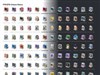
The user interface is completely customizable. You can hide or show as many of the featured windows, dock them in other places or let them float as free standing windows. The same is true for the tool bars as well. You can even move buttons from toolbars to other toolbars and assign your own short cuts keys. If you're a power user then you most likely won't be disappointed. Check it out UltraExplorer Screenshot with Default Theme: Screenshot with Nexos4 Theme:

- 15 Toolbars
- 9 Windows
- 25 Themes
- Tabs
- Breadcrumbs Bar
- Favorite Folders Bar and Window
- UltraLaunch - for quick access to favorite apps
- An Additional Column View Mode
- Cmd Window
The user interface is completely customizable. You can hide or show as many of the featured windows, dock them in other places or let them float as free standing windows. The same is true for the tool bars as well. You can even move buttons from toolbars to other toolbars and assign your own short cuts keys. If you're a power user then you most likely won't be disappointed. Check it out UltraExplorer Screenshot with Default Theme:
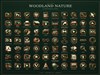
 Screenshot with Nexos4 Theme:

c242
Reply #2 Sunday, March 18, 2007 4:47 AM

Reply #2 Sunday, March 18, 2007 4:47 AM
Is there a way to show 2 panes like in Total Commander ?
[email protected]
Reply #3 Sunday, March 18, 2007 7:09 AM

Reply #3 Sunday, March 18, 2007 7:09 AM
I hate the fact that the Vista explorer no longer has toolbars, much less customizable toolbars like XP. Of all the changes in Vista this is the one I find the most consistently annoying. I'll have to give this a try and see if it fills that gap sufficiently. I assume it will more than do so.
Thanks
Thanks
SirSmiley
Reply #4 Sunday, March 18, 2007 3:18 PM
I had two working yesterday by selecting View|Windows|Listview when one tab was open but, can't get it to work today; so, I'm not sure if this was a quirk.
Edit: Yes, this is the way to do it you need to look for the left-right arrow & drag.

Reply #4 Sunday, March 18, 2007 3:18 PM
Is there a way to show 2 panes like in Total Commander ?
I had two working yesterday by selecting View|Windows|Listview when one tab was open but, can't get it to work today; so, I'm not sure if this was a quirk.
Edit: Yes, this is the way to do it you need to look for the left-right arrow & drag.
jimmyyy
Reply #5 Monday, March 19, 2007 12:50 AM

Reply #5 Monday, March 19, 2007 12:50 AM
Thanks, SirSmiley 
Its definatly not as polished as Id like it to be, But this should answer your Q, its called 'List view window'(under View /Window). & heres also my reply to my post as i was searching for somthing like this.
Reply:
MySecret,
As it turns out QT TabBar was complete crap parden my french, also i came across a software called Nubs, which is also not worth anything to me.
As to your recommendation of SirSmiliey's post I tried out UltraExplorer, its SuperCool.
You can have any 2 windows side by side within the main window. You can have multiple UltraExplorer Windows open as well as regular windows open at the same time.
It solves my original post Question, in addition to solving a few of my other un-answered posted queries, Like a 'recent history' of folders opened. I spent enough time with it to know ill be using it, though im not familiar with all its angles.
thank you again for your help
finally learned how to post a link , heres my orig post.
Link

Is there a way to show 2 panes like in Total Commander ?
Its definatly not as polished as Id like it to be, But this should answer your Q, its called 'List view window'(under View /Window). & heres also my reply to my post as i was searching for somthing like this.
Reply:
MySecret,
As it turns out QT TabBar was complete crap parden my french, also i came across a software called Nubs, which is also not worth anything to me.
As to your recommendation of SirSmiliey's post I tried out UltraExplorer, its SuperCool.
You can have any 2 windows side by side within the main window. You can have multiple UltraExplorer Windows open as well as regular windows open at the same time.
It solves my original post Question, in addition to solving a few of my other un-answered posted queries, Like a 'recent history' of folders opened. I spent enough time with it to know ill be using it, though im not familiar with all its angles.
thank you again for your help
finally learned how to post a link
 , heres my orig post.
Link
Uvah
Reply #6 Monday, March 19, 2007 2:29 AM
I'm glad I'm not the only one who thought so. Been using ExplorerXP as a replacement.
That one works pretty good. It gives you all the info on your folders in the right pane
and the tree on the left. Good thing about this one is that it lists 'all' the folders on your drive(s)unlike the regular explorer. Should this one prove better than it is definitely a keeper. Thanks for sharing

Reply #6 Monday, March 19, 2007 2:29 AM
As it turns out QT TabBar was complete crap
I'm glad I'm not the only one who thought so. Been using ExplorerXP as a replacement.
That one works pretty good. It gives you all the info on your folders in the right pane
and the tree on the left. Good thing about this one is that it lists 'all' the folders on your drive(s)unlike the regular explorer. Should this one prove better than it is definitely a keeper. Thanks for sharing
jimmyyy
Reply #8 Monday, March 19, 2007 11:13 AM
Reply #8 Monday, March 19, 2007 11:13 AM
It also works with Total Commanders Lister Plugins.
But im kind of back tracking on this one as well.
If you were rearranging your files like you would your filling cabinet, this software would get 5 stars. Someone might like this that does alot of sorting, like an icon packager person or somth. But i cant really see it being used in general day to day operations, unless thats what you do all day. In addition, though its skinnable, it just doesn't have that visual appeal. its not that dynamic looking. ahh
With this software you cant have say 5 or 10 or 20 diff shortcuts to different folders on different docks. It forces you to have to keep all the shortcuts inside of the 'Ultra Explore' Its not really an ultra explore its more like a Explorer hub. But again its seems excellent if you were rearranging or sorting files.
Wish i could find a tabbed windows explorer. Guess ill keep looking.
anyways i love to complain about what software should be like
But im kind of back tracking on this one as well.
If you were rearranging your files like you would your filling cabinet, this software would get 5 stars. Someone might like this that does alot of sorting, like an icon packager person or somth. But i cant really see it being used in general day to day operations, unless thats what you do all day. In addition, though its skinnable, it just doesn't have that visual appeal. its not that dynamic looking. ahh
With this software you cant have say 5 or 10 or 20 diff shortcuts to different folders on different docks. It forces you to have to keep all the shortcuts inside of the 'Ultra Explore' Its not really an ultra explore its more like a Explorer hub. But again its seems excellent if you were rearranging or sorting files.
Wish i could find a tabbed windows explorer. Guess ill keep looking.
anyways i love to complain about what software should be like

SirSmiley
Reply #9 Monday, March 19, 2007 12:38 PM
Reply #9 Monday, March 19, 2007 12:38 PM
I like QT Tabbar lest I point out it's still under development. My problem is with it's button bar & some issues with other customization programs I use. Like the breadcrumb plugin, Styler Toolbar, and Folder2MyPc.
Also, I would like to point out that UltraExplorer was developed to demonstrate existing components and is still under development. I'm pretty sure he's open to reasonable suggestions.
I agree with this.
This would be a nice addition too it. Actually the ability for a few blank docks/bars to customize.
This kind of confuses me. What purpose does explorer really serve other than to manage your files & folders?
If you're looking for a specific file I would hope by now most people would be using some sort of indexing/search app? Using Locate myself I can find files in seconds.
Also, I would like to point out that UltraExplorer was developed to demonstrate existing components and is still under development. I'm pretty sure he's open to reasonable suggestions.
In addition, though its skinnable, it just doesn't have that visual appeal. its not that dynamic looking. ahh
I agree with this.
With this software you cant have say 5 or 10 or 20 diff shortcuts to different folders on different docks
This would be a nice addition too it. Actually the ability for a few blank docks/bars to customize.
But i cant really see it being used in general day to day operations
This kind of confuses me. What purpose does explorer really serve other than to manage your files & folders?
If you're looking for a specific file I would hope by now most people would be using some sort of indexing/search app? Using Locate myself I can find files in seconds.
jimmyyy
Reply #10 Monday, March 19, 2007 4:05 PM
Reply #10 Monday, March 19, 2007 4:05 PM
Ya, must agree w/ ya, i think i misstated my point.
i think a good example of a browser is Firefox.
With Firefox you can have multiple instances of it open, each with multiple tabs if desired. You can also have it open from any place that you save the shortcut to and to start at any address or location desired. In addition to all this it opens itself to plugins.
It seems for the time being these Windows explorer replacement programs all have pieces of the puzzle but are incomplete as a whole. Windows explore included though i think its the best currently available (generally speaking).
With QT Tabber you cannot have multiple explorer windows open, your forced to keep all the explore windows in tabs in one window only. thats the bad and kind of a big turn off, though you can still drag and drop files by dragging them on to the tab thus opening the window, you can no longer (if im not mistaken) visually view two explorer windows side by side. There are other apps. of course that allow for side by side viewing, but they miss out in some other areas. The good is that you can still use all your window folder shortcuts on your docks or anywhere else.
UltraExplorer runs separately from Windows explorer, the bad is that you cant have multiple shortcuts that upon selecting open at the desired file location. (thats how i'd guess the gen public work) The good is that its very effective and convenient in terms of rearranging or sorting many files, which i happily used it for this morning.
Personally im hanging on to UltraExplorer its good to have one of these for organization projects. But as for my regular browser fo the time ill stick w/ explorer, the best of the worst.
i think a good example of a browser is Firefox.
With Firefox you can have multiple instances of it open, each with multiple tabs if desired. You can also have it open from any place that you save the shortcut to and to start at any address or location desired. In addition to all this it opens itself to plugins.
It seems for the time being these Windows explorer replacement programs all have pieces of the puzzle but are incomplete as a whole. Windows explore included though i think its the best currently available (generally speaking).
With QT Tabber you cannot have multiple explorer windows open, your forced to keep all the explore windows in tabs in one window only. thats the bad and kind of a big turn off, though you can still drag and drop files by dragging them on to the tab thus opening the window, you can no longer (if im not mistaken) visually view two explorer windows side by side. There are other apps. of course that allow for side by side viewing, but they miss out in some other areas. The good is that you can still use all your window folder shortcuts on your docks or anywhere else.
UltraExplorer runs separately from Windows explorer, the bad is that you cant have multiple shortcuts that upon selecting open at the desired file location. (thats how i'd guess the gen public work) The good is that its very effective and convenient in terms of rearranging or sorting many files, which i happily used it for this morning.
Personally im hanging on to UltraExplorer its good to have one of these for organization projects. But as for my regular browser fo the time ill stick w/ explorer, the best of the worst.

Jafo
Reply #11 Monday, March 19, 2007 6:08 PM

Reply #11 Monday, March 19, 2007 6:08 PM
Been using Powerdesk Pro and Explorer Plus for years......[and ZtreeWin, too]....
Koasati
Reply #12 Monday, March 19, 2007 7:05 PM
I wonder what the right click option for "New Window" is for in that case.
I like UltraExplorer except for the fact that if you want to use the Icon View, and your icons are 72x72 as mine are, the icons tend to step all over each other.

Reply #12 Monday, March 19, 2007 7:05 PM
With QT Tabber you cannot have multiple explorer windows open,
I wonder what the right click option for "New Window" is for in that case.
I like UltraExplorer except for the fact that if you want to use the Icon View, and your icons are 72x72 as mine are, the icons tend to step all over each other.
jimmyyy
Reply #13 Monday, March 19, 2007 7:36 PM
Reply #13 Monday, March 19, 2007 7:36 PM
hey, shouldn't you be checking my messed up skins or somthin. 
i cant find none option ant any right click... but i just turned on the 'tab standard buttons' and theres an option for that!, as well as some oth. nice options.
Well thats 3 more stars for QT Tabber, Im keepin um both.
Koasati your allways helping me out.

i cant find none option ant any right click... but i just turned on the 'tab standard buttons' and theres an option for that!, as well as some oth. nice options.
Well thats 3 more stars for QT Tabber, Im keepin um both.
Koasati your allways helping me out.
Please login to comment and/or vote for this skin.
Welcome Guest! Please take the time to register with us.
There are many great features available to you once you register, including:
- Richer content, access to many features that are disabled for guests like commenting on the forums and downloading skins.
- Access to a great community, with a massive database of many, many areas of interest.
- Access to contests & subscription offers like exclusive emails.
- It's simple, and FREE!
Reply #1 Sunday, March 18, 2007 3:54 AM