





































 |
|
Page 4 of 5 | |
|
|---|
RoboKestrel
Comment #62 Friday, April 10, 2009 6:19 PM
Comment #62 Friday, April 10, 2009 6:19 PM
I don't particularly care for the look of the skin, but just because it doesn't agree with my tastes doesn't mean I can't acknowledge that this is a well done skin. Nice job.

Mirsguy
Comment #64 Saturday, April 11, 2009 8:55 AM

Comment #64 Saturday, April 11, 2009 8:55 AM
Glad you like it, Glenn & Phantasma!
RoboKestrel- Thanks for the comment, I think...
RoboKestrel- Thanks for the comment, I think...

dirtyredd68
Comment #65 Saturday, April 11, 2009 1:56 PM

Comment #65 Saturday, April 11, 2009 1:56 PM
I just downloaded this skin and I like the look of it. There are two things I am wondering about 1) I can't see the objects in my taskbar. 2) I have to right click on the close button to close a window. I am running XP sp2. Is it just my computer or something else?
Mirsguy
Comment #66 Saturday, April 11, 2009 2:26 PM
Comment #66 Saturday, April 11, 2009 2:26 PM
dirtyredd68: Make sure you have applied one of the XP substyles, and not one of the Vista ones. The two O/S's required some different settings in some parts--causes wacky behavior when the wrong one is applied. If you have applied an XP substyle, then I have no idea what it could be. Have you changed any other sys settings, like system font sizes?
mdchalice
Comment #67 Sunday, April 12, 2009 9:42 PM
Comment #67 Sunday, April 12, 2009 9:42 PM
confirmed. only problem i'm having with this skin is i can't close Anything. i have to right click on bar and just select close from there. i'm using vista with vista substyle btw. great looking skin though 

foxetnies
Comment #70 Tuesday, April 14, 2009 4:06 PM
Comment #70 Tuesday, April 14, 2009 4:06 PM
I am confused on how to actually download and install this program. Anyone have step-by-step instructions on how to do it? I have an xp with SP3.

Mirsguy
Comment #73 Saturday, April 25, 2009 7:53 AM
Comment #73 Saturday, April 25, 2009 7:53 AM
The update didn't fix systray item visibility for WB5.5/XP
This skin was built for WB 6.4. I assure you that it works properly on the most current version of WindowBlinds. It seems odd to me, however, that the system tray of all things would be buggy on an older version.
Mijest
Comment #74 Sunday, April 26, 2009 8:14 PM

Comment #74 Sunday, April 26, 2009 8:14 PM
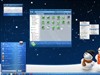
First off, I'd like to say THANK YOU to you Mirsguy. I agree that this is one of the best skins I've seen. That being said, can you tell me which IconPackager set you are using in the screen shot?
Mirsguy
Comment #75 Monday, April 27, 2009 12:11 AM
Comment #75 Monday, April 27, 2009 12:11 AM
Thanks, Mijest! The icon package is Aero Midnight by Stardock Design. It comes as part of Theme Manager 2009, which is bundled as part of ObjectDesktop 2009. I love those icons! 

Dragonaevis
Comment #76 Wednesday, April 29, 2009 4:48 AM

Comment #76 Wednesday, April 29, 2009 4:48 AM
Nice skin man � �am useing it now�
 ������� Cool description too ��
 �am useing it now�
 ������� Cool description too ��
Mijest
Comment #77 Wednesday, April 29, 2009 9:57 AM
Comment #77 Wednesday, April 29, 2009 9:57 AM
Mirsguy, Thank you again for the skin - and for telling me about the icon pack. This is why I love this community.
Mirsguy
Comment #78 Wednesday, April 29, 2009 2:26 PM
Comment #78 Wednesday, April 29, 2009 2:26 PM
Thanks for the comments, Dragonaevis & Mijest!
This is why I love this community.
Me too!
LukasKowalczyk
Comment #80 Monday, May 4, 2009 8:17 AM
Comment #80 Monday, May 4, 2009 8:17 AM
Wery nice skin and no. 1 for me at this time, but I have one smal problem - in my tray I can't see icons. They are there becouse every prompts are show but the icons aren't shown. What should I do with that? On any other skin it's ok. 

Please login to comment and/or vote for this skin.
Welcome Guest! Please take the time to register with us.
There are many great features available to you once you register, including:
- Richer content, access to many features that are disabled for guests like commenting on the forums and downloading files.
- Access to a great community, with a massive database of many, many areas of interest.
- Access to contests & subscription offers like exclusive emails.
- It's simple, and FREE!
|
|
Page 4 of 5 | |
|
|---|





Comment #61 Friday, April 10, 2009 3:00 PM