






































TBoy34
Comment #3 Thursday, April 10, 2003 10:34 AM

Comment #3 Thursday, April 10, 2003 10:34 AM
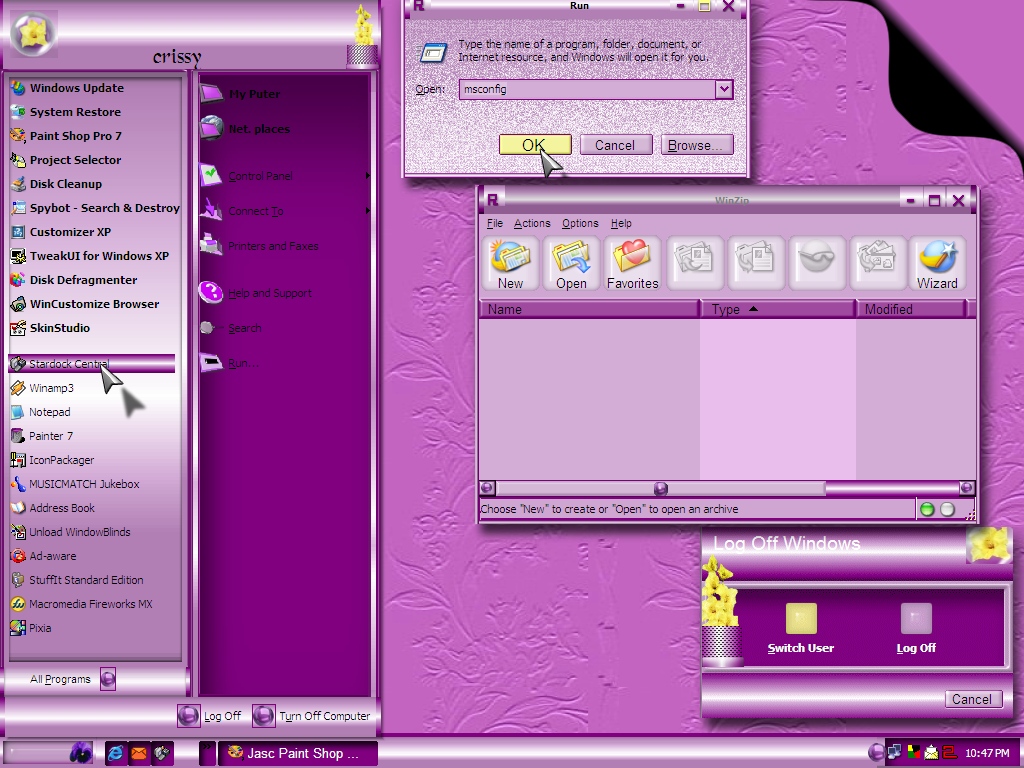
I love this skin a great deal. IT's just different. Plus, I love purple. Where can I get the icons? Give us a link?
JamMeister33
Comment #4 Thursday, April 10, 2003 2:45 PM

Comment #4 Thursday, April 10, 2003 2:45 PM
Ok, when I put this skin on my desktop I get a sudden urge to put on a dress and makeup... Is this a problem I should be concerned about?... LOL LOL LOL
crissy14
Comment #5 Thursday, April 10, 2003 3:44 PM

Comment #5 Thursday, April 10, 2003 3:44 PM
jamMeister you're a RIOT! LOL LOL LOL
TBoy34, you can download James t"S icons here...(thanks James T)
https://www.wincustomize.com/skins.asp?library=2.
TBoy34, you can download James t"S icons here...(thanks James T)
https://www.wincustomize.com/skins.asp?library=2.

Kaedibyrd
Comment #7 Friday, April 11, 2003 9:25 PM
Comment #7 Friday, April 11, 2003 9:25 PM
Very lovely. The font sizes and the radio buttons work funny on my system, tho'.
crissy14
Comment #8 Friday, April 11, 2003 9:48 PM
Comment #8 Friday, April 11, 2003 9:48 PM
Paul williams: The wallpaper is included in the zip file. Look in your windowblinds/candella directory.
Kaedibyrd: thanks for saying the skin is lovely. I have the fonts set to zoom larger when your mouse is over them. I thought this would be different, but maybe it wanst such a good idea. Not sure what you mean bout the radio buttons. What problem are you having with them?
Kaedibyrd: thanks for saying the skin is lovely. I have the fonts set to zoom larger when your mouse is over them. I thought this would be different, but maybe it wanst such a good idea. Not sure what you mean bout the radio buttons. What problem are you having with them?
beccaluvstexas
Comment #9 Sunday, April 13, 2003 10:31 PM
Comment #9 Sunday, April 13, 2003 10:31 PM
I need help!! I am very new to this, I have it downloaded, but I don't understand how to get to the wallpaper...please help me????
By the way....this is GREAT!!
By the way....this is GREAT!!
crissy14
Comment #10 Sunday, April 13, 2003 11:16 PM
Comment #10 Sunday, April 13, 2003 11:16 PM
beccaluvstexas
you can apply the wallpaper in one of two ways. #1- go to your objectdesktop/windowblinds/candella directory and look for the wallpaper. Its just labled "wallpaper". right click on it and choose "set as wallpaper". or #2- In windowblinds config box under "basic settings" make sure the "apply wallper supplied" is checked. If it is, the wallpaper will install itself when you install the skin. good luck.
you can apply the wallpaper in one of two ways. #1- go to your objectdesktop/windowblinds/candella directory and look for the wallpaper. Its just labled "wallpaper". right click on it and choose "set as wallpaper". or #2- In windowblinds config box under "basic settings" make sure the "apply wallper supplied" is checked. If it is, the wallpaper will install itself when you install the skin. good luck.

katie albrecht
Comment #11 Sunday, December 19, 2004 1:14 AM
Comment #11 Sunday, December 19, 2004 1:14 AM
can you make a pinkkk onee !!! pleasee that would be great .. make it look just like this with hot pink n light pink
Sparkina
Comment #12 Monday, January 17, 2005 12:35 AM
Comment #12 Monday, January 17, 2005 12:35 AM
Love this skin! Rated G for Gorgeous!!! Very pretty and fun to use. 


Please login to comment and/or vote for this skin.
Welcome Guest! Please take the time to register with us.
There are many great features available to you once you register, including:
- Richer content, access to many features that are disabled for guests like commenting on the forums and downloading files.
- Access to a great community, with a massive database of many, many areas of interest.
- Access to contests & subscription offers like exclusive emails.
- It's simple, and FREE!







Comment #1 Thursday, April 10, 2003 2:05 AM
Thanks for uploading it and sharing.