





































|
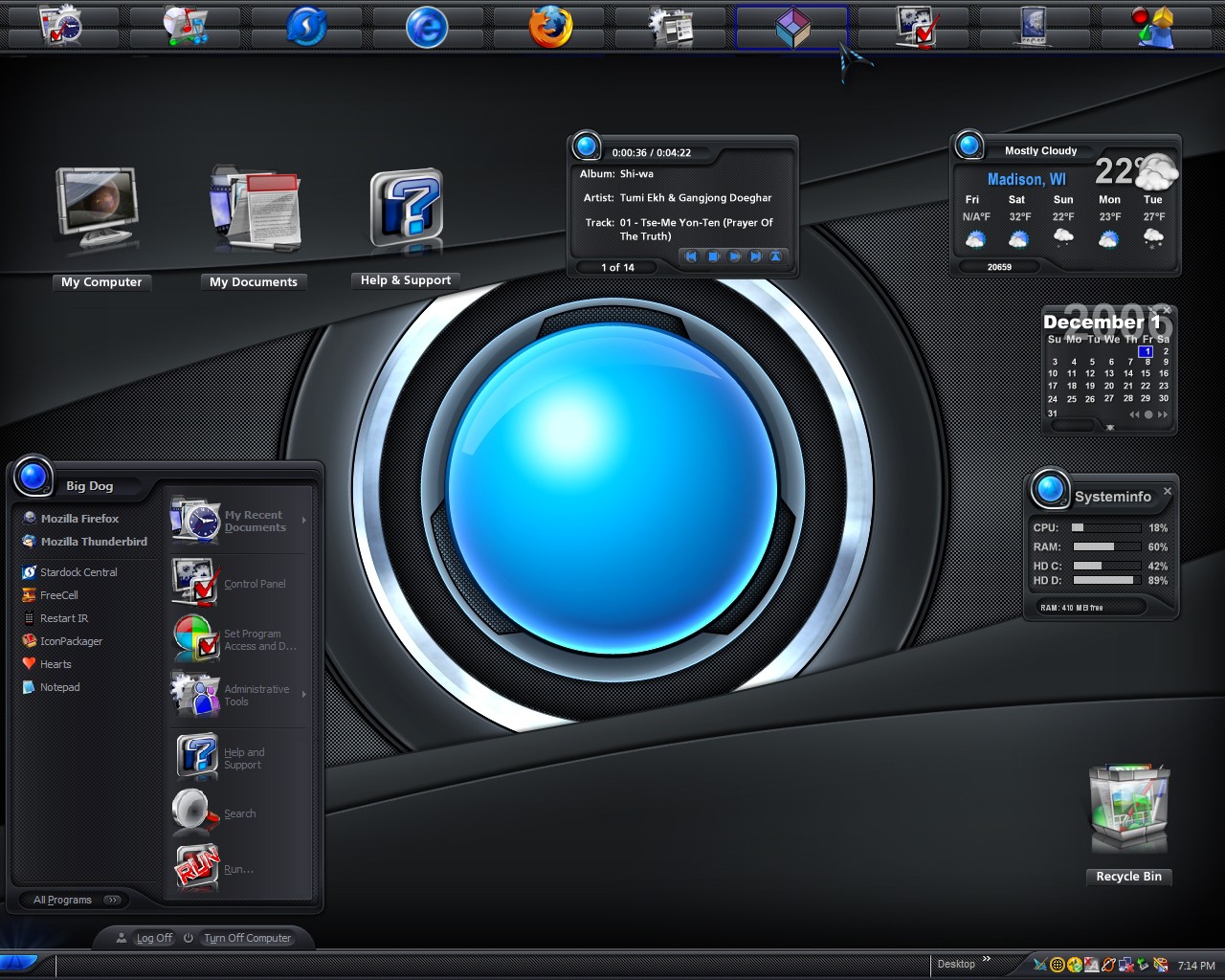
Azenis 2 DXUpdated Dec 01, 2006 by BigDogBigFeet |
||||||


windoe
Comment #4 Saturday, December 2, 2006 10:46 AM

Comment #4 Saturday, December 2, 2006 10:46 AM
Nice to see Azenis again. Perfect matching, BigDog 

BigDogBigFeet
Comment #5 Saturday, December 2, 2006 11:15 AM

Comment #5 Saturday, December 2, 2006 11:15 AM
Thank you seldomseen, MySecret, Ms. terigw and windoe. The widgets you see seldomseen:
"I saw the widget when Carl[c242] posted it, but never knew it could be used like this"
They aren't all from Carl[242]. The calendar is just a skin of Stardock's Silica calendar and the MP3 player is made from the weather image from Lovely62's widget. Carl's DX info widget is mainly a meters widget, but it also includes an email checker. The top bar took more work. I used images from JJ Ying's Blind to make it. I hope that clears it up.
"I saw the widget when Carl[c242] posted it, but never knew it could be used like this"
They aren't all from Carl[242]. The calendar is just a skin of Stardock's Silica calendar and the MP3 player is made from the weather image from Lovely62's widget. Carl's DX info widget is mainly a meters widget, but it also includes an email checker. The top bar took more work. I used images from JJ Ying's Blind to make it. I hope that clears it up.

cplair
Comment #6 Saturday, December 2, 2006 11:25 AM

Comment #6 Saturday, December 2, 2006 11:25 AM
BigDog this is tight! Where can I get that recycler from? The top bar looks like you put a lot of work into it, well reap the rewards my man.
You have a winner here!
You have a winner here!
BigDogBigFeet
Comment #7 Saturday, December 2, 2006 12:08 PM
Comment #7 Saturday, December 2, 2006 12:08 PM
Thanks cplair. If you look in the icons package Icon-A-Day by mormegil(with IconDeveloper) you will find the 2 recycle bin images. Do a save as with each one and put them in a different subdirectory as separate icon files (ico extension). I have a subdirectory called My Icons under My Documents for that purpose. Start a DesktopX theme with Icons hidden and then just create a DesktopX object(folder shortcut pointing to your windows recycle bin on your desktop), give it the additional recycle bin properties so it will give you the correct empty and full states and finally point your new recycle bin to the correct icon images you saved. That's all there is to making your own custom fully functioning recycle bin you can size and place anywhere on your desktop. 

cplair
Comment #8 Saturday, December 2, 2006 1:50 PM
Comment #8 Saturday, December 2, 2006 1:50 PM
Thanks so much for sharing that BigDog and I will follow that lead. You're so cool we should nick name you the "ChillyDawg"

MySecret
Comment #10 Sunday, December 3, 2006 3:33 PM
Comment #10 Sunday, December 3, 2006 3:33 PM
Thanks for the info, you know its those little tidbits that are so valuable. 
Its My Secret

Its My Secret
Please login to comment and/or vote for this skin.
Welcome Guest! Please take the time to register with us.
There are many great features available to you once you register, including:
- Richer content, access to many features that are disabled for guests like commenting on the forums and downloading files.
- Access to a great community, with a massive database of many, many areas of interest.
- Access to contests & subscription offers like exclusive emails.
- It's simple, and FREE!


![Aero11 (Vista Edition) [Theme Preview]](https://skins17.wincustomize.com/40/19/4019518/13/28337/preview-13-28337-100x75.jpg?d=1677593646.38)


Comment #1 Saturday, December 2, 2006 1:01 AM