







































Fairyy~
Comment #2 Saturday, February 25, 2006 10:48 AM

Comment #2 Saturday, February 25, 2006 10:48 AM
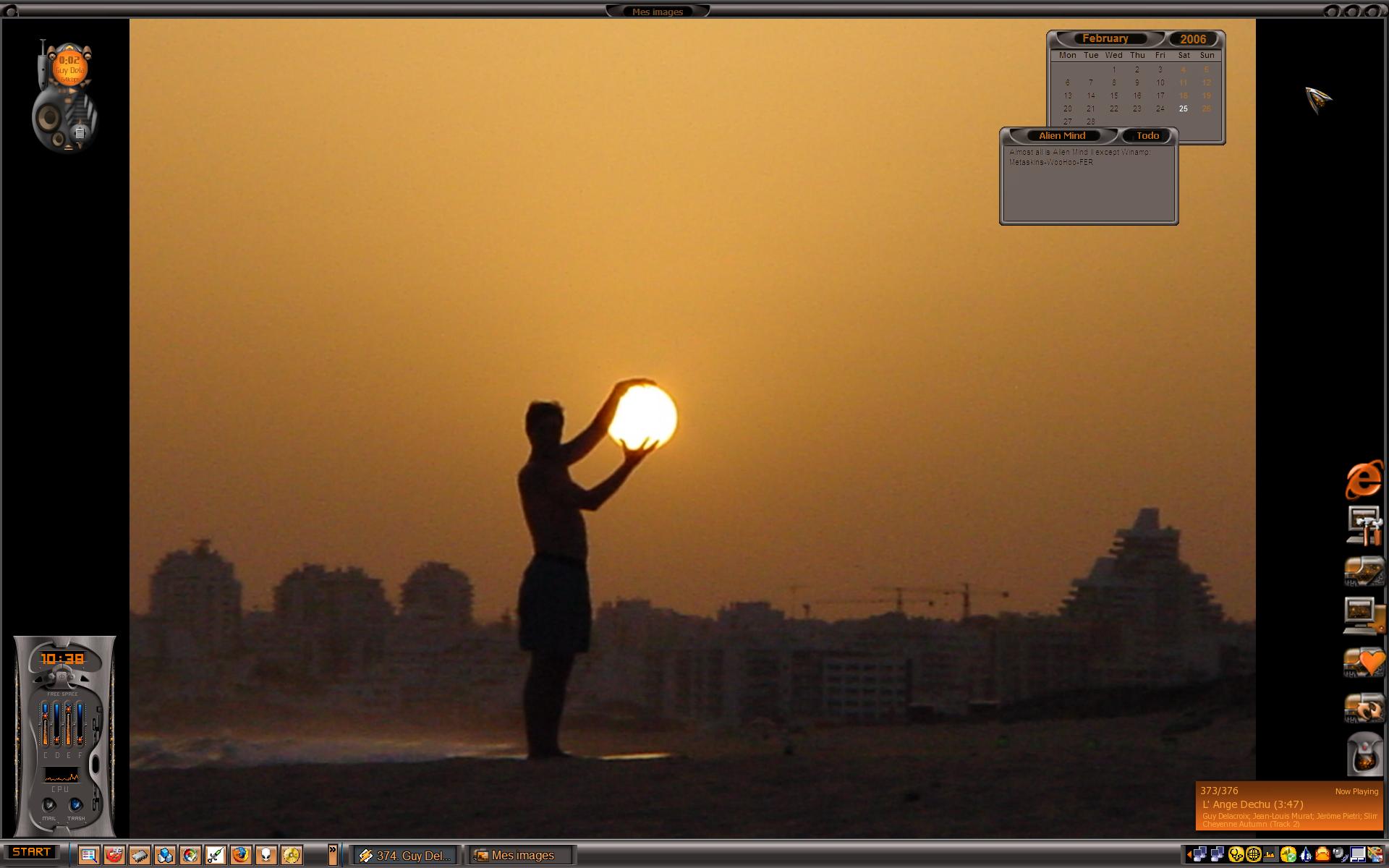
This came out good Windoe..
How did you extract the pic from the PPS file ? I took a SS of a pps slide once and it looked ok but was " grainy " It was ok to use but not good quality. Did you do something different ?
How did you extract the pic from the PPS file ? I took a SS of a pps slide once and it looked ok but was " grainy " It was ok to use but not good quality. Did you do something different ?

windoe
Comment #4 Saturday, February 25, 2006 11:12 AM

Comment #4 Saturday, February 25, 2006 11:12 AM
Thanks Rayman, Karen, Sheley ! 
Karen, for me that this picture is not so good... It's original, and taken at sunset, so it's acceptable, but resolution is a bit low for my screen. May be it's better on your's ?
To extract from pps, I launched it, and used a small screenshot maker program called Gadwin printscreen 2.6. Very useful when you can't use Paint. try it !

Karen, for me that this picture is not so good... It's original, and taken at sunset, so it's acceptable, but resolution is a bit low for my screen. May be it's better on your's ?
To extract from pps, I launched it, and used a small screenshot maker program called Gadwin printscreen 2.6. Very useful when you can't use Paint.
 try it !


Please login to comment and/or vote for this skin.
Welcome Guest! Please take the time to register with us.
There are many great features available to you once you register, including:
- Richer content, access to many features that are disabled for guests like commenting on the forums and downloading files.
- Access to a great community, with a massive database of many, many areas of interest.
- Access to contests & subscription offers like exclusive emails.
- It's simple, and FREE!


![Aero11 (Vista Edition) [Theme Preview]](https://skins17.wincustomize.com/40/19/4019518/13/28337/preview-13-28337-100x75.jpg?d=1677593646.38)
Comment #1 Saturday, February 25, 2006 8:48 AM