







































ernie leo
Comment #2 Friday, August 12, 2005 7:25 AM

Comment #2 Friday, August 12, 2005 7:25 AM
Smokey, thanks for the nice comment, much appreciated  and as to your question I clam a brain fart or a senior moment for missing it, but here is the answer, (right click -> skin menu -> edit skin) this should open the configuration file. Look for lines like this FontColor=255, 0, 127 or SolidColor=255, 140, 0, 15, the fourth number is for tranparent, as you can control the transparent level on each item. Make you test editor small so you can see the
rainmeter and make small changes, save and refresh the rainmeter so you can check you changes. If you want an example
I will email you one.
 and as to your question I clam a brain fart or a senior moment for missing it, but here is the answer, (right click -> skin menu -> edit skin) this should open the configuration file. Look for lines like this FontColor=255, 0, 127 or SolidColor=255, 140, 0, 15, the fourth number is for tranparent, as you can control the transparent level on each item. Make you test editor small so you can see the
rainmeter and make small changes, save and refresh the rainmeter so you can check you changes. If you want an example
I will email you one.

Smokey41
Comment #3 Friday, August 12, 2005 8:28 AM
Comment #3 Friday, August 12, 2005 8:28 AM
I'll just make a copy off what you just wrote and if I get problems I'll write you a mail  Thanks for the info
 Thanks for the info
Fairyy~
Comment #4 Friday, August 12, 2005 9:02 AM

Comment #4 Friday, August 12, 2005 9:02 AM
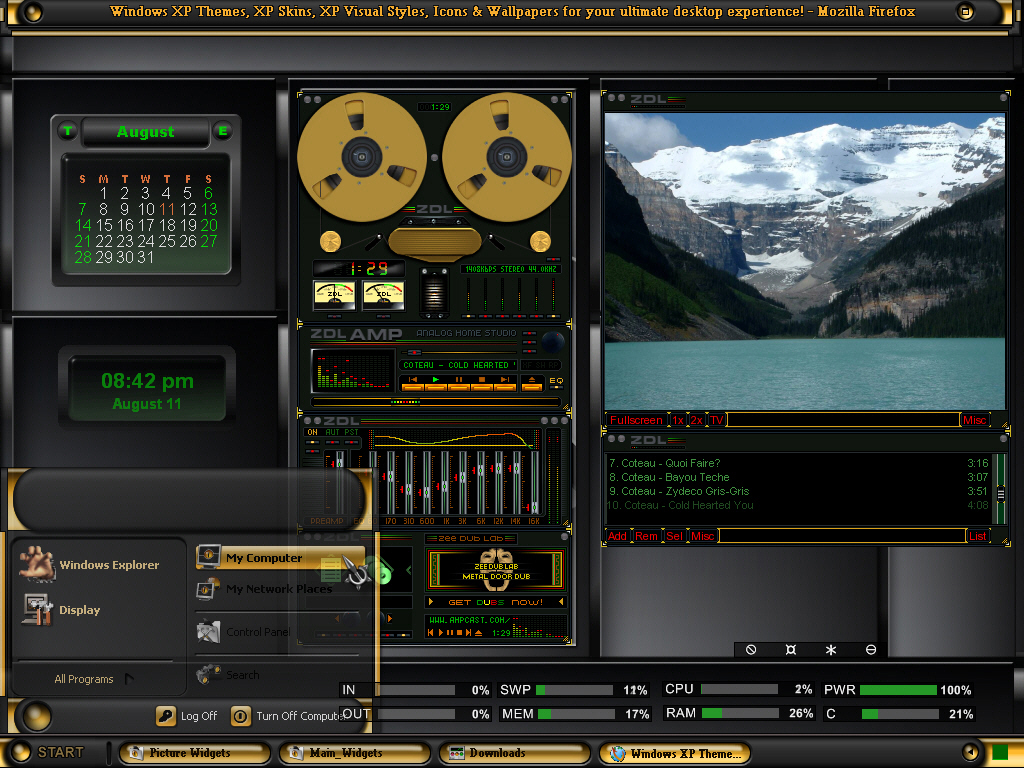
This looks great Ernie..I like that blind. Black and gold..and...I see you listen to Zydeco....i thought I was the only one that liked that type of music
"Bye Bye Mon Neg"
"Bye Bye Mon Neg"


ernie leo
Comment #7 Saturday, August 13, 2005 7:41 AM
Comment #7 Saturday, August 13, 2005 7:41 AM
Thanks Smokey, Fairyy, Mr Hi & JAYdd for the comments
Please login to comment and/or vote for this skin.
Welcome Guest! Please take the time to register with us.
There are many great features available to you once you register, including:
- Richer content, access to many features that are disabled for guests like commenting on the forums and downloading files.
- Access to a great community, with a massive database of many, many areas of interest.
- Access to contests & subscription offers like exclusive emails.
- It's simple, and FREE!


![Aero11 (Vista Edition) [Theme Preview]](https://skins17.wincustomize.com/40/19/4019518/13/28337/preview-13-28337-100x75.jpg?d=1677593646.38)

Comment #1 Friday, August 12, 2005 4:32 AM