






































unclerob
Comment #2 Friday, April 6, 2007 5:30 AM

Comment #2 Friday, April 6, 2007 5:30 AM
Precisely Al and thanks for the nice feedback!
- if you get a chance, check out my Blue ICE wb, it was just recently released into the gallery.
� �
�
- if you get a chance, check out my Blue ICE wb, it was just recently released into the gallery.
�
 �
�
Davebo
Comment #5 Saturday, April 7, 2007 11:34 AM

Comment #5 Saturday, April 7, 2007 11:34 AM
Great looking concept across the entire suite of skins. 
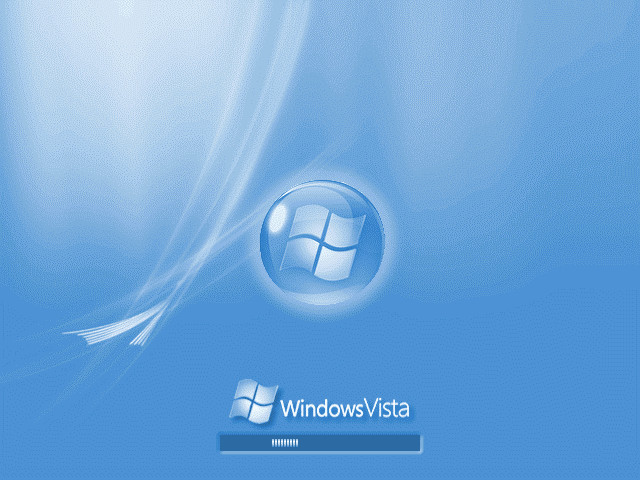
Can you produce a copy of the bootskin that doesn't say Vista on it? I'm on an XP machine, and it just feels weird having to look at Vista.

Can you produce a copy of the bootskin that doesn't say Vista on it? I'm on an XP machine, and it just feels weird having to look at Vista.
unclerob
Comment #6 Saturday, April 7, 2007 2:14 PM
Comment #6 Saturday, April 7, 2007 2:14 PM
Thank you Davebo,
if you can send me an email, I will reply back to you with an xp version (and a version without any windows text logo) of this bootskin.
if you can send me an email, I will reply back to you with an xp version (and a version without any windows text logo) of this bootskin.
Davebo
Comment #7 Saturday, April 7, 2007 8:08 PM
Comment #7 Saturday, April 7, 2007 8:08 PM
That's extremely generous of you, Rob.
Message sent...
Message sent...
Qas123
Comment #8 Thursday, April 12, 2007 2:49 PM
Comment #8 Thursday, April 12, 2007 2:49 PM
erm to insall this bootskin do i go in c:windows:system32 then click on bootui and rename it to bootui.bak so its backed up. then do i put this in the same folder and call it bootui ?????? plzzz reply soon I REALLY WANT A VISTA BOOT SCREEN
thnx rob.
P.S I LOVE UR ICE WB SKIN !!!!!!!!!!!!!!!!!!!!!! � �
�
o yeah and im using windows XP SP2
thnx rob.
P.S I LOVE UR ICE WB SKIN !!!!!!!!!!!!!!!!!!!!!! �
 �
�o yeah and im using windows XP SP2
unclerob
Comment #9 Friday, April 13, 2007 11:53 AM
Comment #9 Friday, April 13, 2007 11:53 AM
Hi Qas123, thank you for the great feedback.
About what you said as far as applying this bootskin: DON'T DO ANY OF WHAT YOU JUST MENTIONED.
Use Stardock's Bootskin program at this website:
http://www.bootskin.com/
download & install the Stardock Bootskin software (I think you'll end up download it from a CNET download page). Once it's installed, it will come with a few bundled bootskins. Test that bootskin works on your computer (it's know that it doesn't work on every computer, but most should be fine) by applying one of the bootskins that comes with the software. Once you've applied a bootskin, reboot your pc, verify that the bootskin works properly (ie. doesn't cause your pc to crash) and then once your pc is back up & running, browse the bootskin section of wincustomize.com and download bootskins to your heart's content. Click on the download link shown on any bootskin page, click on Open (instead of Save - this saves a step for me anyways), once the bootskin is downloaded and if you selected the Open File option instead of saving file option, Stardock Bootskin app will automatically install the bootskin into the list of bootskins available, you can then apply the bootskin and test it out.
I hope this info helps, reply back here and let us know! ��
About what you said as far as applying this bootskin: DON'T DO ANY OF WHAT YOU JUST MENTIONED.
Use Stardock's Bootskin program at this website:
http://www.bootskin.com/
download & install the Stardock Bootskin software (I think you'll end up download it from a CNET download page). Once it's installed, it will come with a few bundled bootskins. Test that bootskin works on your computer (it's know that it doesn't work on every computer, but most should be fine) by applying one of the bootskins that comes with the software. Once you've applied a bootskin, reboot your pc, verify that the bootskin works properly (ie. doesn't cause your pc to crash) and then once your pc is back up & running, browse the bootskin section of wincustomize.com and download bootskins to your heart's content. Click on the download link shown on any bootskin page, click on Open (instead of Save - this saves a step for me anyways), once the bootskin is downloaded and if you selected the Open File option instead of saving file option, Stardock Bootskin app will automatically install the bootskin into the list of bootskins available, you can then apply the bootskin and test it out.
I hope this info helps, reply back here and let us know! �
�Please login to comment and/or vote for this skin.
Welcome Guest! Please take the time to register with us.
There are many great features available to you once you register, including:
- Richer content, access to many features that are disabled for guests like commenting on the forums and downloading files.
- Access to a great community, with a massive database of many, many areas of interest.
- Access to contests & subscription offers like exclusive emails.
- It's simple, and FREE!





Comment #1 Friday, April 6, 2007 5:05 AM