









































You never need a 'clone'. A 'backup' will image everything on the target drive. Some backup apps will not restore an image to a virgin disk irrespective of the size (thus the clone option)... TI will.
Do not use "One Click Backup"
Go to Windows Services and disable: Distributed Link Tracking Client
Open TI.
Put blank CD in tray and start Media Builder. Make full copy of TI to CD. Put CD aside unless you need it when you can't boot or TI will not operate from within Windows.
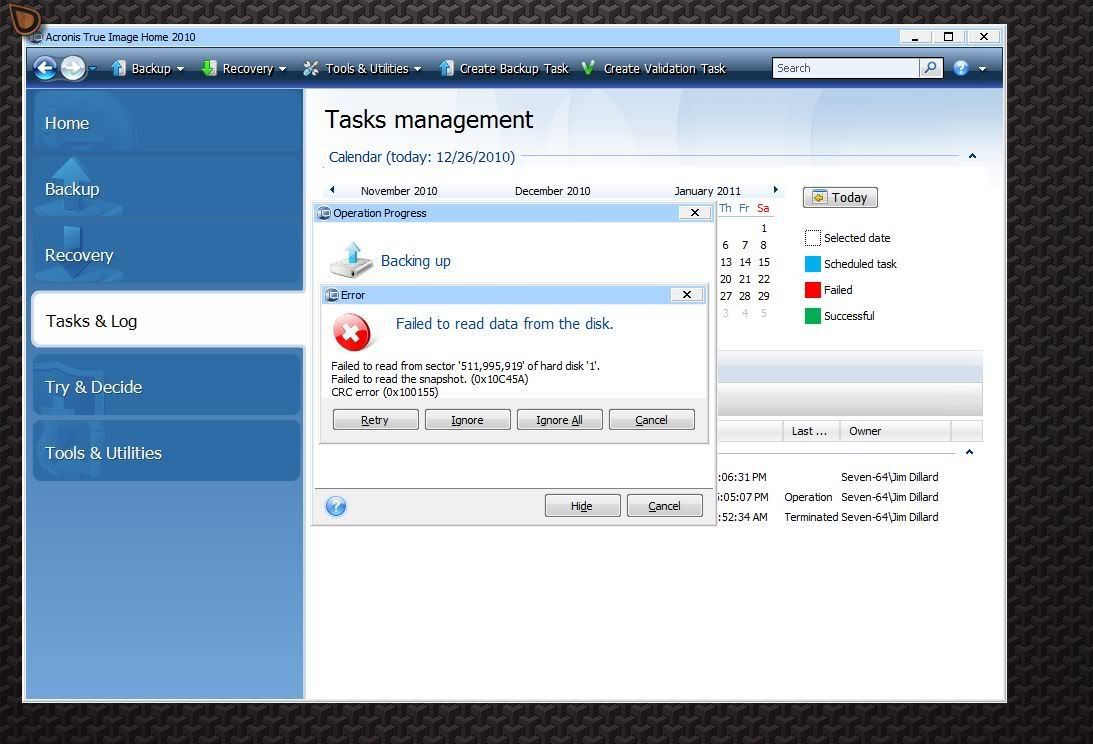
Now go into "Disk and Partition Backup" and set one up as a scheduled task. (include 'Validation'). You can save and close and it will run as scheduled or you you can open TI at any time and 'Run Now'
If for some reason, all else fails, boot up the CD and use it to backup and restore until we can figure out what the problem is in Windows.








Reply #41 Saturday, December 25, 2010 10:43 AM
We are playing with the toys. Well ... I am at least. Merry Christmas DaveBax.