

































 |
|
Page 21 of 22 | |
|
|---|
Comment #402 Thursday, May 24, 2018 2:24 PM
Thank you wserwezrhewz, I wish I could help, but I don't know how, with a few words what you are asking it is a puzzle for me. I am really sorry...
Comment #403 Friday, May 25, 2018 9:40 AM
I love that you are updating these! Thank you so much. This one looks lovely on windows 10.
Comment #404 Friday, May 25, 2018 1:33 PM
You are very welcome dear Nithaiah. thanks for the nice comment! 

Comment #406 Tuesday, May 29, 2018 7:25 AM
You are welcome and thank you duffmackle01

Comment #408 Monday, August 27, 2018 11:24 AM
Thank you so much dear delve-miller! 
Comment #409 Saturday, October 20, 2018 2:25 PM
Excellent job! Love this piece of art. Q: It works in well on all windows when I open them on screen, but "all" "start menu w/programs" for windows 10, does not show/work. It doesn't make any changes there when I change to any new window blinds. Why is that? Is there a way I can fix this? Any advise, I'll appreciated. thanks. 
Comment #410 Thursday, November 15, 2018 5:57 PM
Thank you rudymiranda !
About the Start menu, I think you need the help of Start10, check it here:
https://www.stardock.com/products/start10/
Comment #411 Sunday, March 10, 2019 6:13 AM
Your frame has to be smooth as your controls, clock is too big and I have a clipping issue with the maximised window. Other than that it is bretty neat.

Comment #413 Friday, August 16, 2019 5:01 PM
Thank you Dcrew57!
Comment #414 Tuesday, August 20, 2019 7:53 AM
How do i get this skin to be installable with windowblinds?
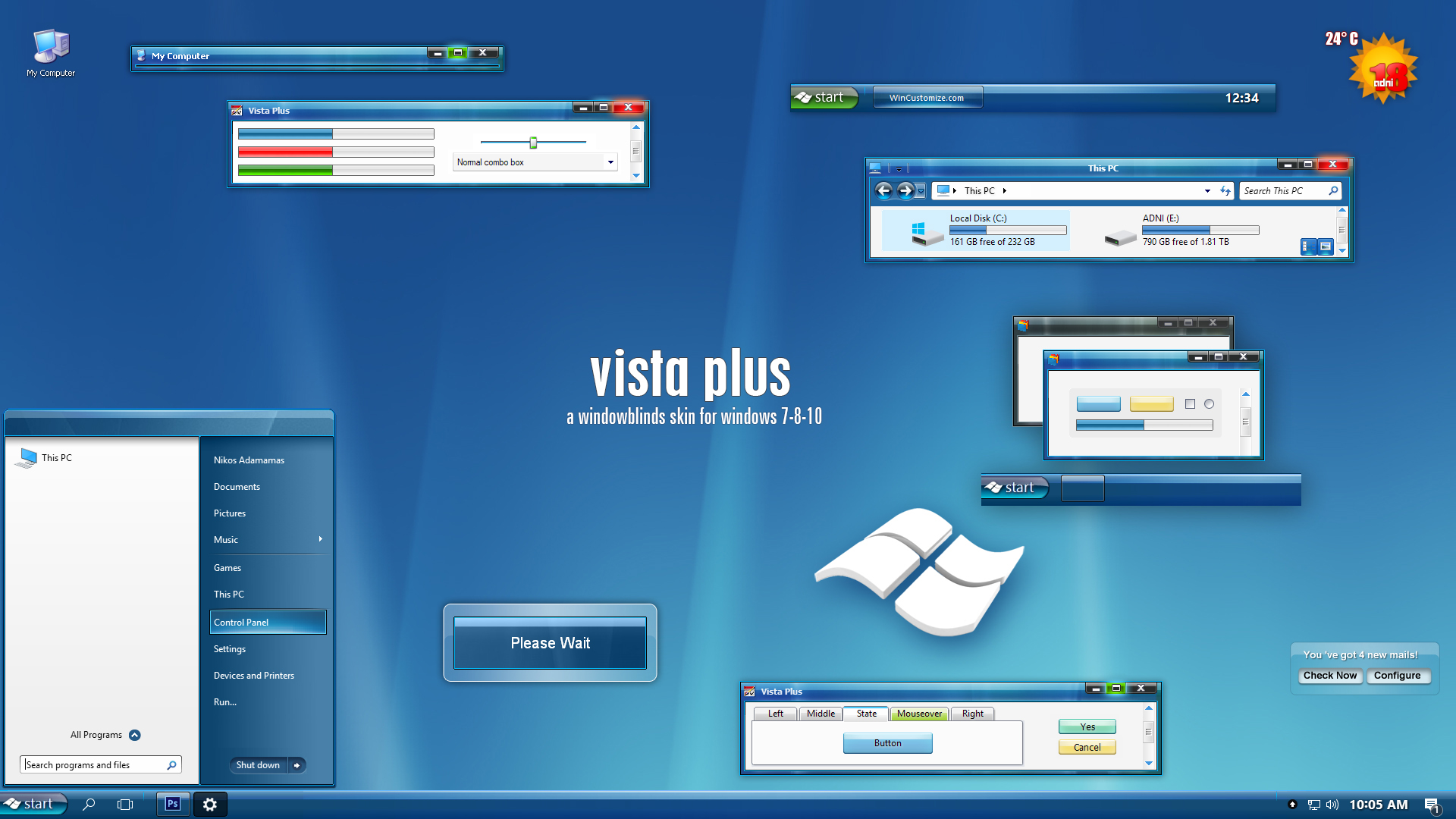
I was able to double click the .WBA file and it applied most of the skin.. but I know it's nothing what the preview image appears like.
When i try INSTALL NEW from windowblinds, it is looking for *.THEMEPACK and there are no skinds here with that file in it, so it only pulls in portions of the skin
Comment #416 Sunday, December 8, 2019 12:39 AM
Hi rodger66,
It works exactly like all the other skins, you may have a temporary issue for many reasons, a restart of your computer it is all you need.
As about the ".themepack" must be a problem with your Windowblinds installation, try re-install it!
Good luck!


Comment #419 Monday, October 26, 2020 10:55 AM
Bear with me if this should have been asked before:
Is this theme 4K (HiDPI) compatible? Like when you have set your Windows scaling to 200% and everything has 4 times the resolution as it has normally?
Comment #420 Wednesday, September 24, 2025 10:59 AM
Time warping back to 2007 when first puchased vista . Thank you
Please login to comment and/or vote for this skin.
Welcome Guest! Please take the time to register with us.
There are many great features available to you once you register, including:
- Richer content, access to many features that are disabled for guests like commenting on the forums and downloading files.
- Access to a great community, with a massive database of many, many areas of interest.
- Access to contests & subscription offers like exclusive emails.
- It's simple, and FREE!
|
|
Page 21 of 22 | |
|
|---|


Comment #401 Thursday, May 24, 2018 1:52 PM
Another very nice theme. I like your work adni18. One question i have anyway. Is it possible to get some stuff fixed for 4K Resolution? For example the min/max/close button. That looks a bit strange and the taskbar is also much bigger compared to a 1080p screen. May there is a problem with the DPI setting from windows. I need to use 200% DPI scaling on my laptop. Would be nice to hear from you.